
FOCUS Live Mobile App
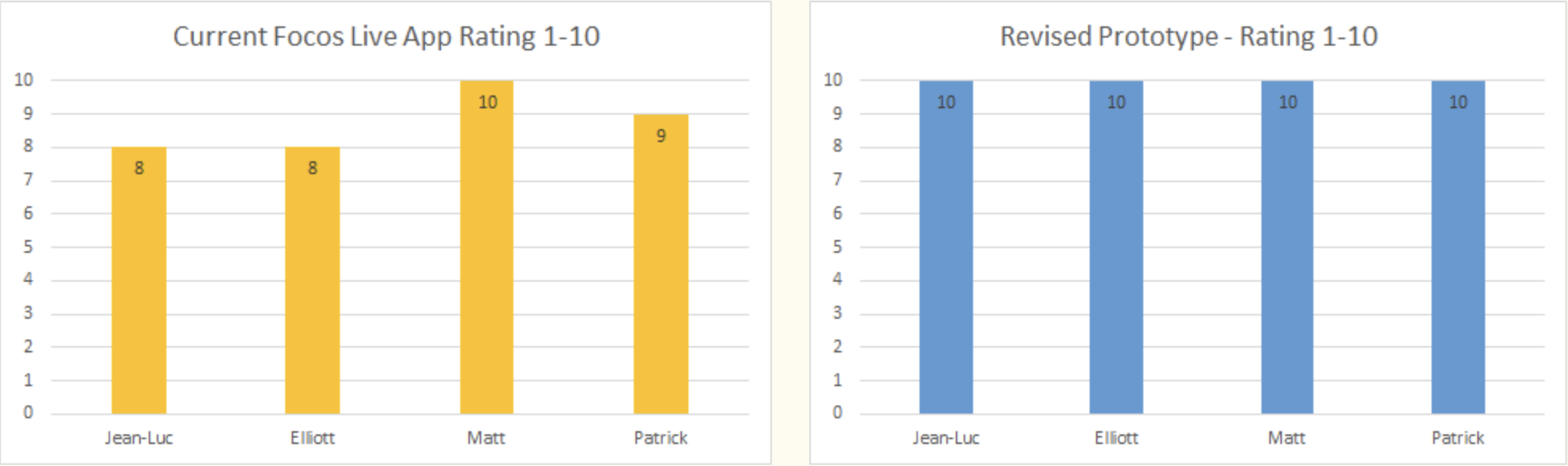
I discovered expectation gaps and adoption opportunities by user testing new users and power users. My two rounds of research identified workarounds the developer did not know users were doing. I recommended critical workflow solutions by 100% of users wanting the bokeh effect in the application.
Focos Live
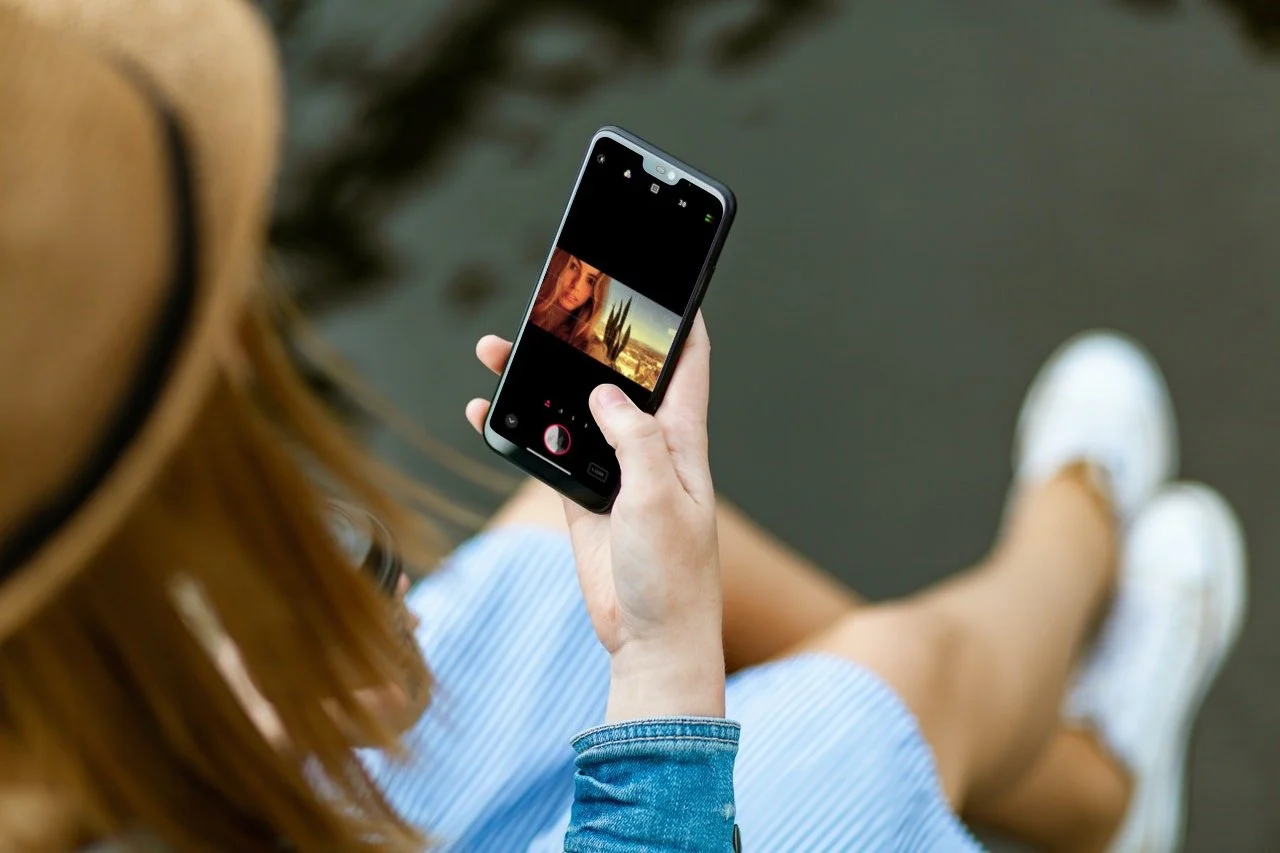
Focos Live is a professional video recording and editing application. Its most popular feature is the bokeh effect. This gives the video a depth of field effect. It makes the video look professional with a blurred background without having to buy or lug around equipment. You can easily shoot and edit a video on the go just from your phone.
Focos Live’s Mission
Focos Live’s mission is to offer more video and editing functionality than any other application but also be intuitive enough so any level user from beginner to expert can have a delightful experience by fulfilling their needs of what they want to get out of the application.

A-HA MOMENT
“If I could shoot from my iPhone for the bokeh effect, then have this sync to the cloud and edit on my iPad, I would be in heaven.”
- Mark
My Challenge
Based on user testing with new users, power users, and Flurry analytics, users are mainly spending time on the video shooting and exporting flows on the application. There is not much editing or project management done on Focos Live. The average amount of time spent on the application according to Flurry data is only a few minutes.
My Solution
The solution is to cater to the user’s needs by improving their experience. If they want to go straight to the recording, then we will give them that option. Instead of opening the application to the home flow, we can make it so that it opens straight to the recording.
Quick Tips
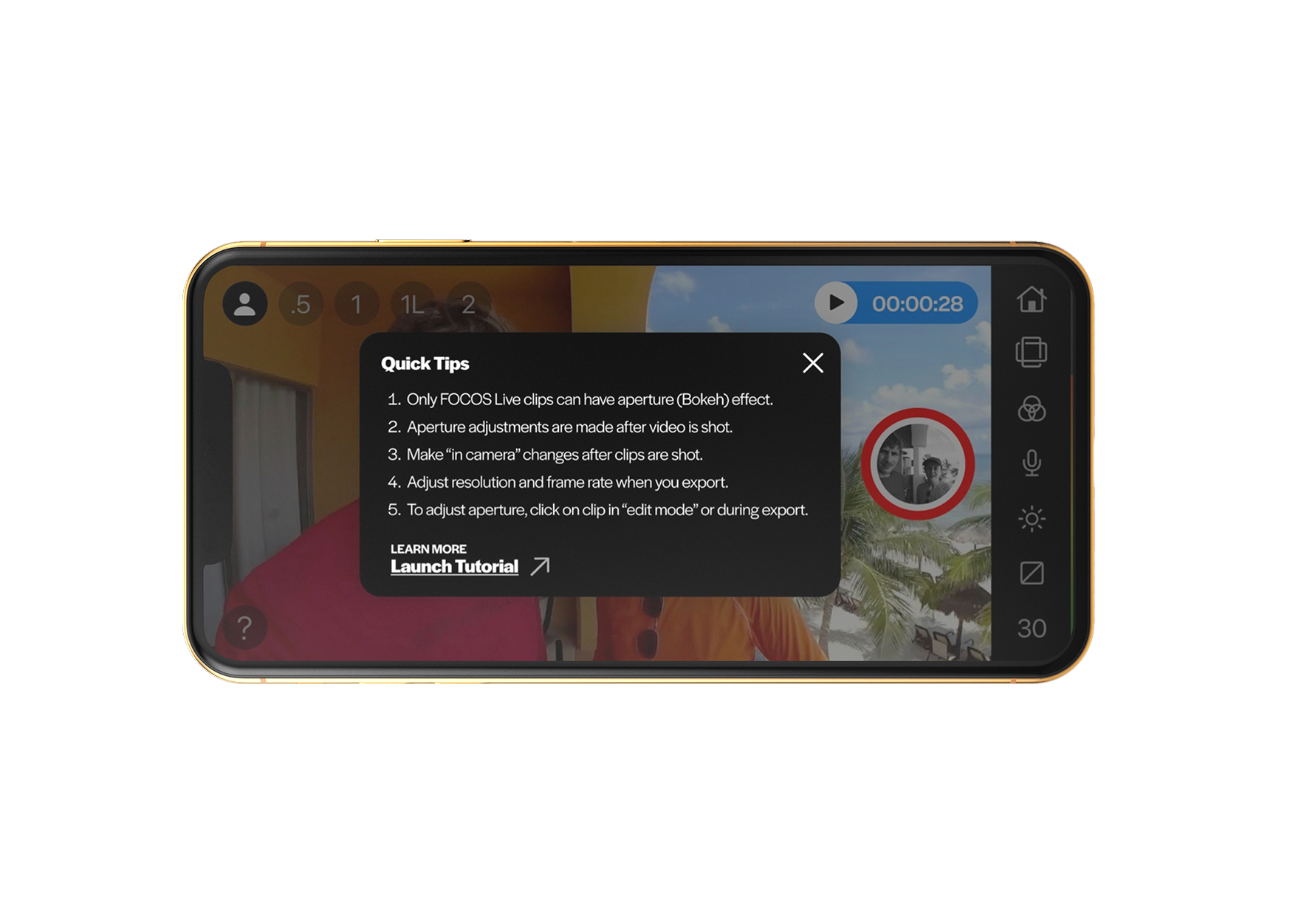
We also want to bring awareness to the users by highlighting features and simplifying the functionality of the application with easy “quick tips'' available when they open Focos Live. Data showed that only a small percentage of users view the tutorials.
Export Flow
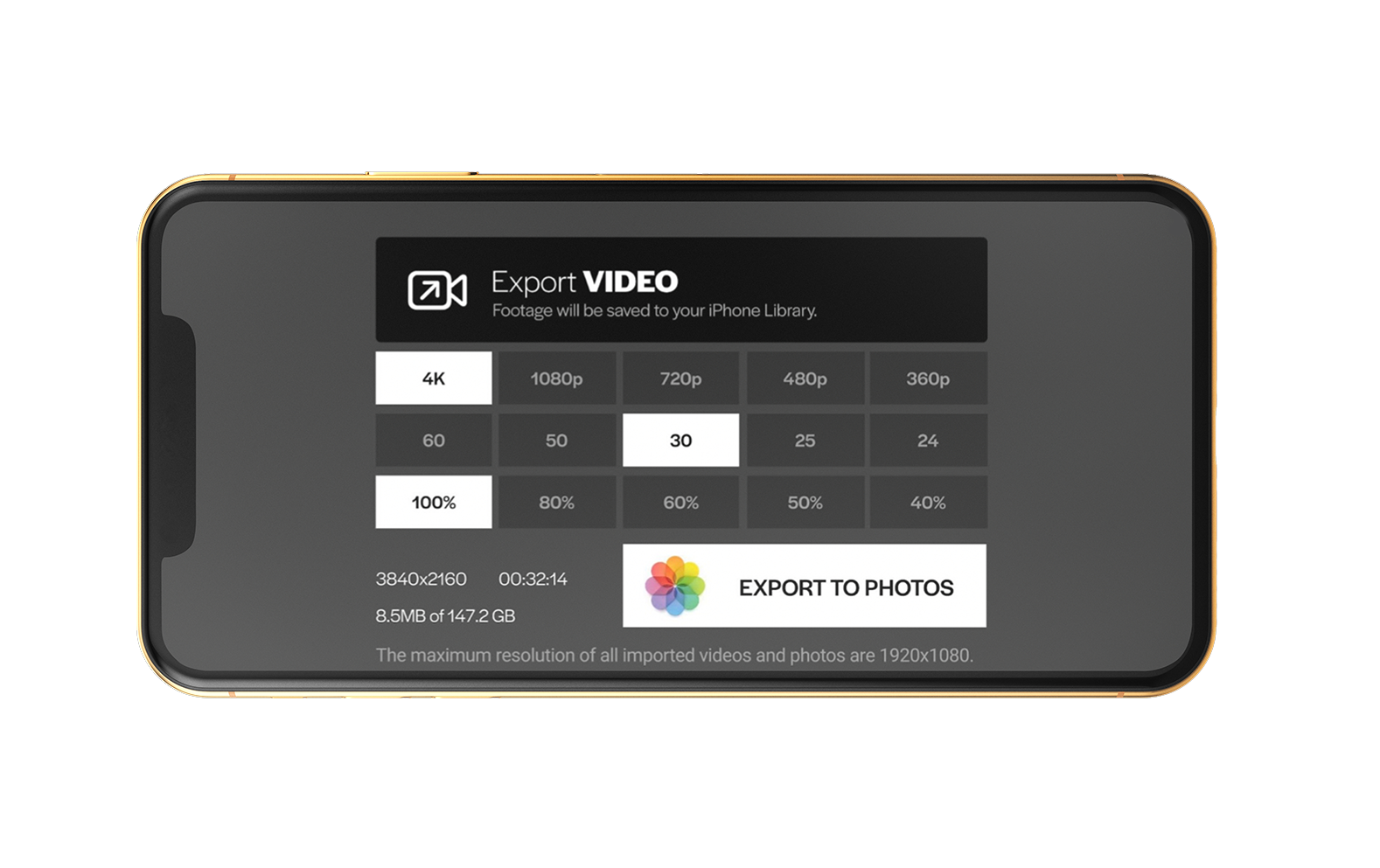
The “Export to Photos” button included the apple photo flower icon so that users can be assured that their export is saved to their native photos on their phone.
Since users mainly shoot and export, we wanted to make the export flow as clear and user-friendly as possible. We accomplished this by making a grid that was easily accessible for changing settings to the desired resolution, FPS, and quality.
Bokeh Effect
Our research showed that the number one reason users are going to Focos Live is for the bokeh effect. Instead of clicking through more steps to get to the aperture on the edit screen, we made a screen specifically to adjust the aperture.
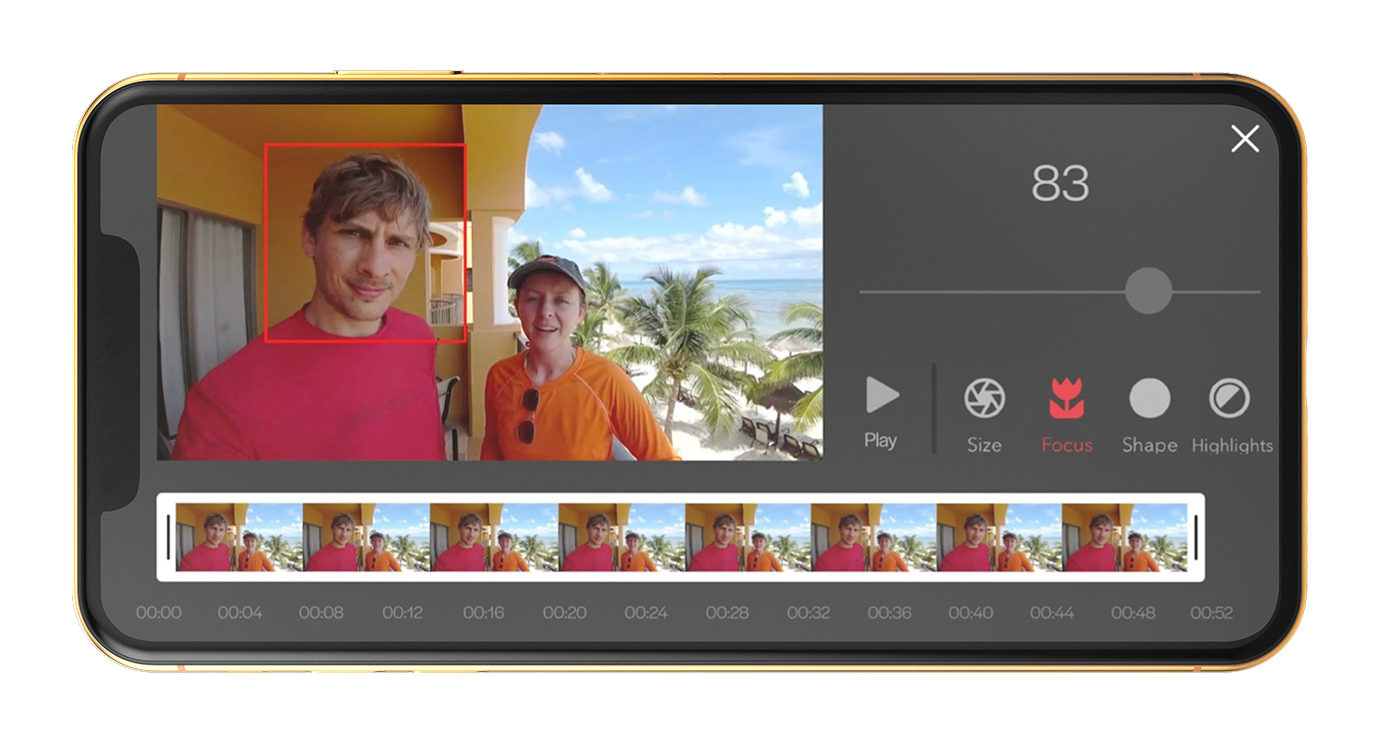
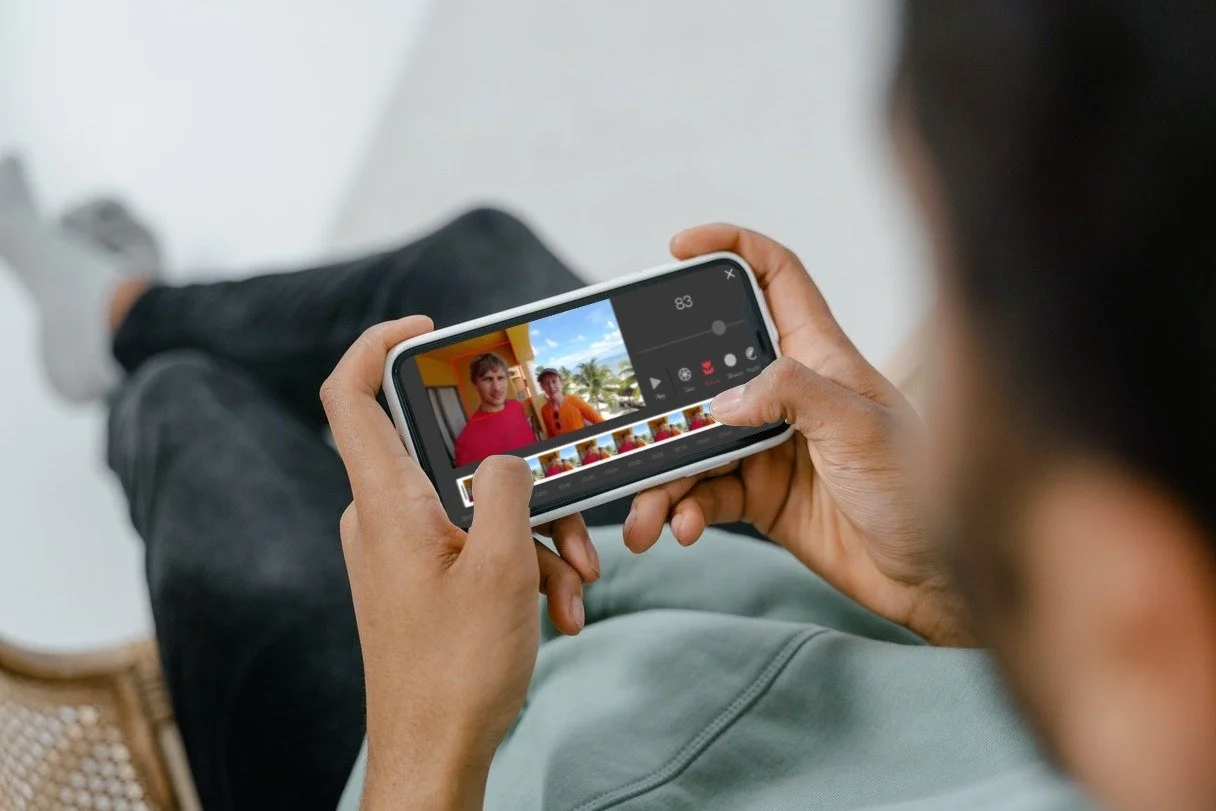
“Better to have aperture settings separate since it is one of the main functionalities of FOCOS Live” - Power User
Creative Process
Define Problems & Goals
Research - Interview Users, Synthesize Qualitative & Quantitative Data, Create Personas, Journey Maps, User Stories, and Flow Charts
Sketch - Information Architecture, Variation Sketches
Design - Lo-Fi & Hi-Fi Wireframes, Clickable Prototype
Testing - User Testing, Iteration, Next Steps
My Mission
My mission is to take this redesign to the next level by updating the UI and making it more modern. This will not only please the power users, but it will attract a wider audience. Users will share with others creating more awareness. The more that the application satisfies their needs the more time they will spend on it which will convince users to upgrade.
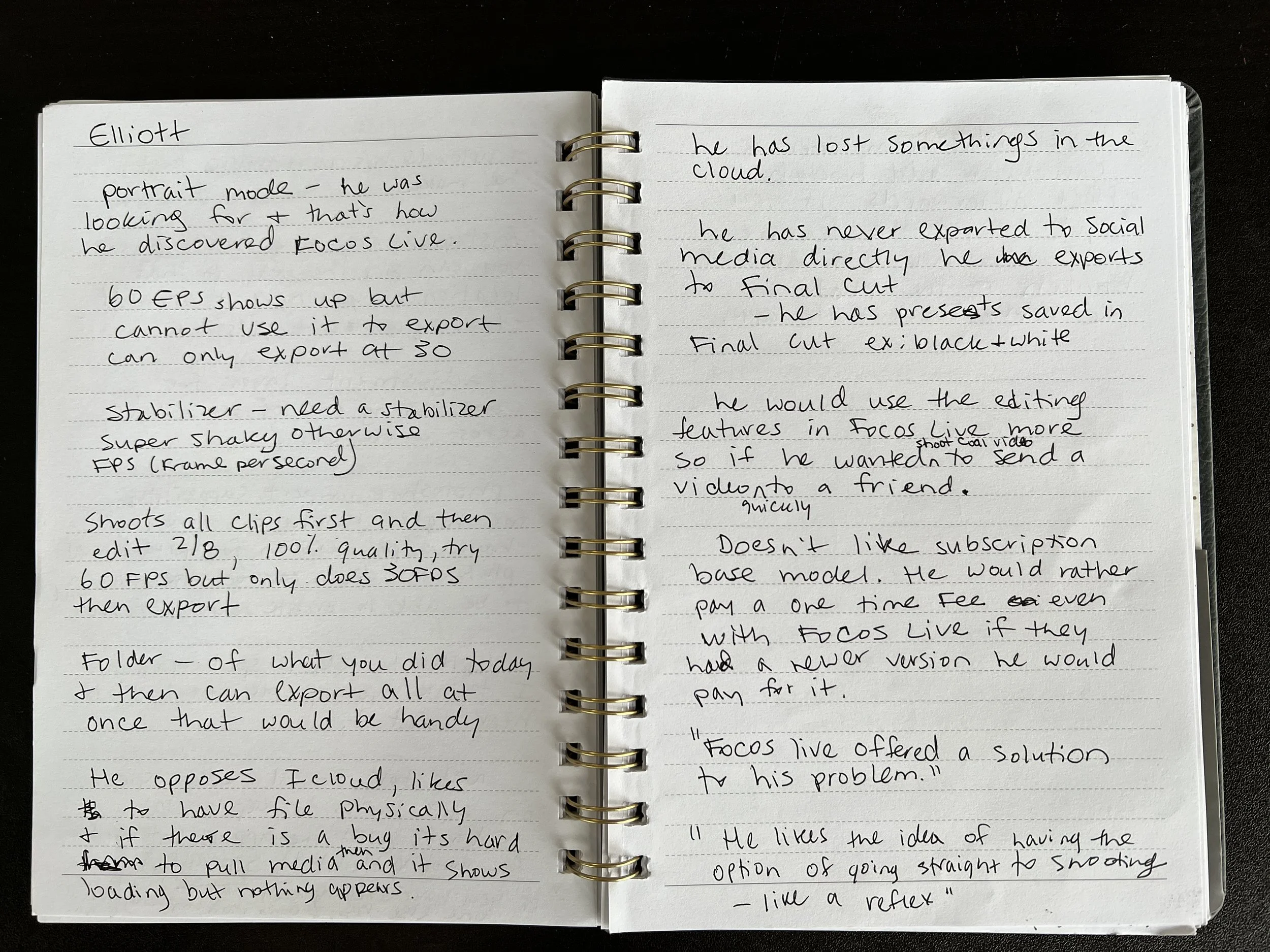
User Interviews
Research was conducted by 4 power users who have been using FOCOS Live for the last two years.
They are passionate users who want FOCOS Live to be the go to application for video recording and editing.
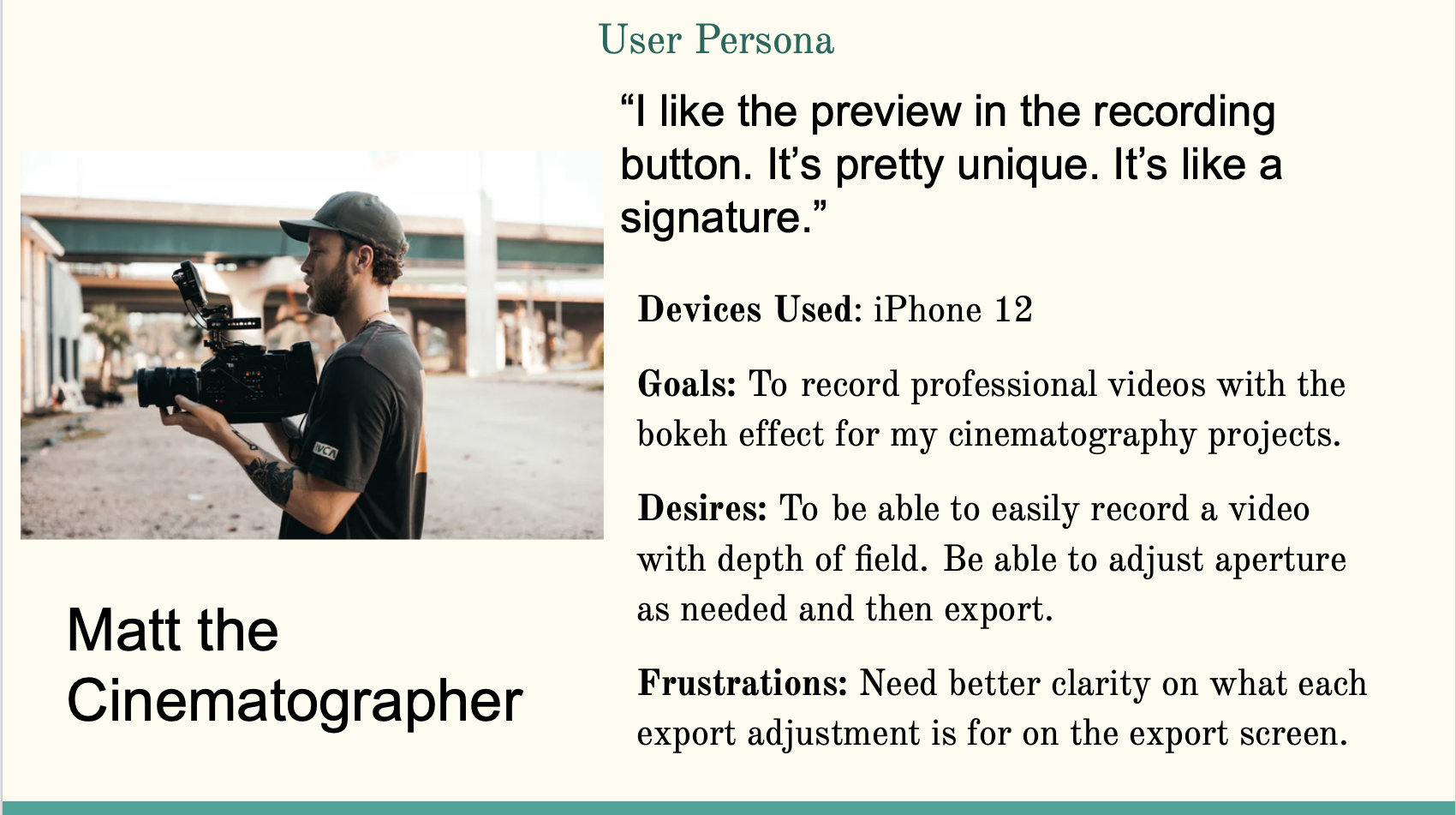
Synthesizing this information presented a clear understanding of each of their needs.
Personas
I created personas based off the power user’s goals, desires, and frustrations with the current FOCOS Live video and editing application.
User Stories
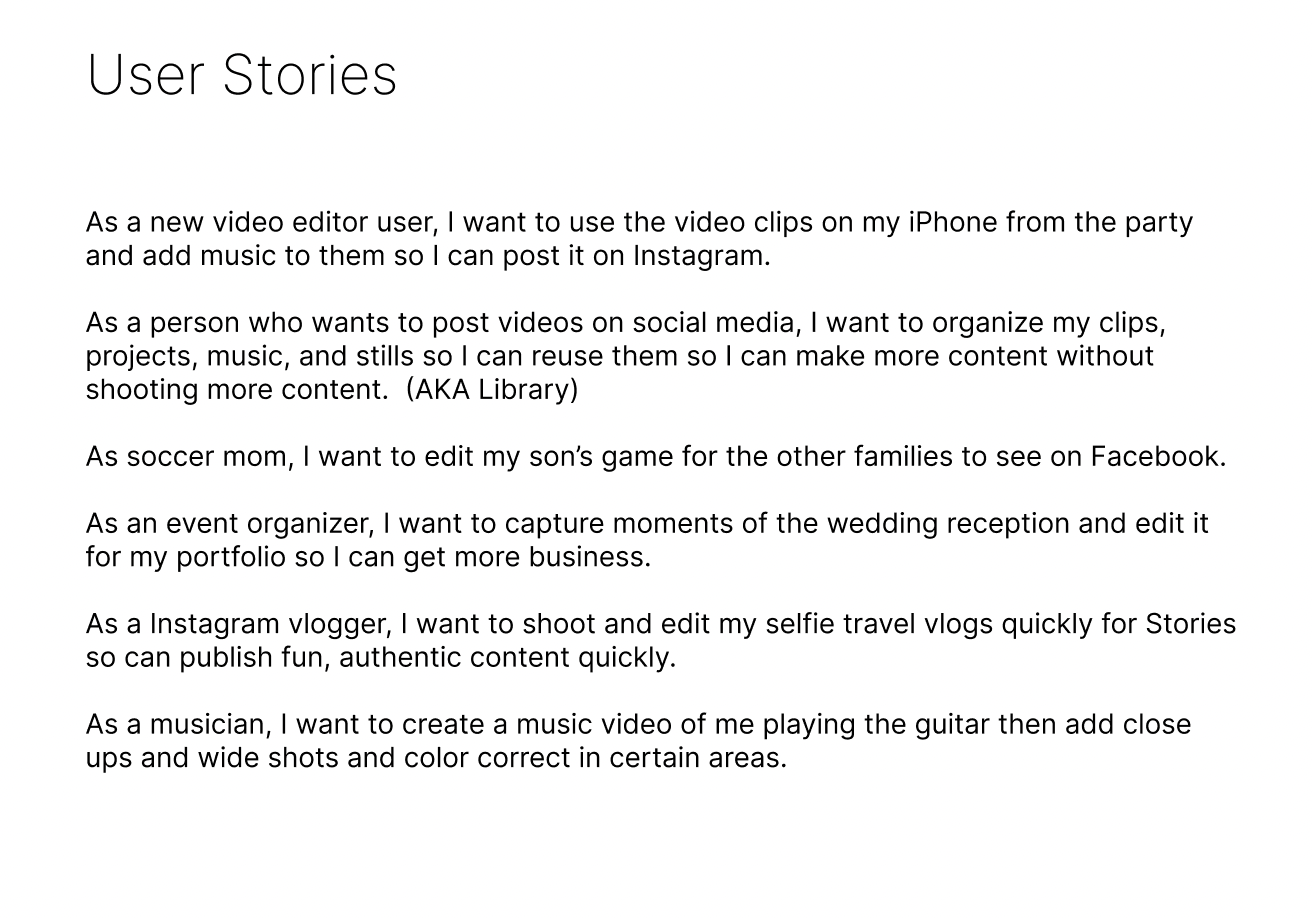
We created user stories to capture the desires and goals from the perspective of FOCOS Live users.
It gives us a sense of “who”, “what”, and “why” to determine the steps necessary to improve the user’s experience.
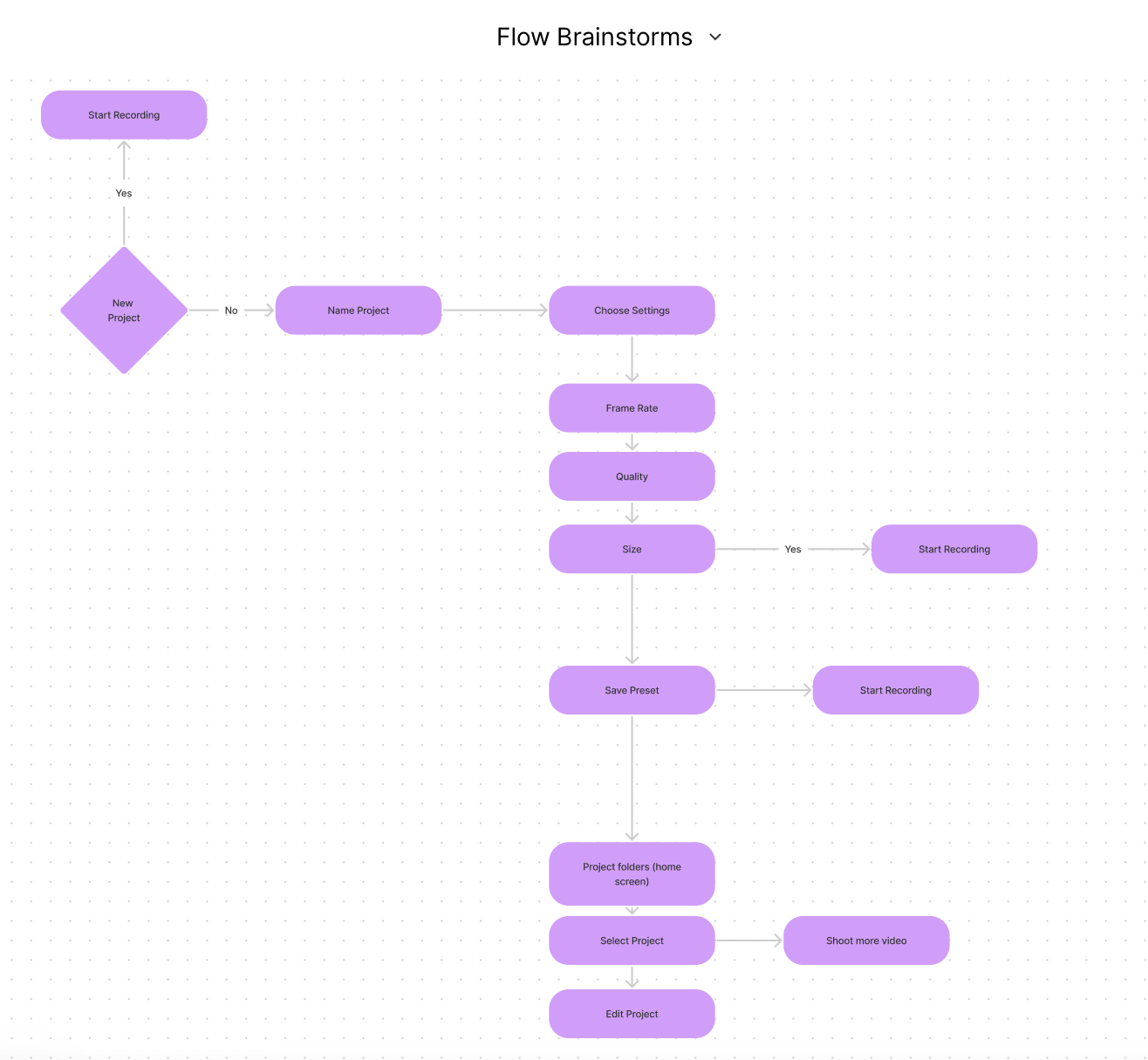
Flow Chart
I created User flows that display the complete path a user takes while using the FOCOS Live application. I lay out the user’s movement through the app, mapping out each and every step the user takes. Starting from opening the video editing app to the final interaction.
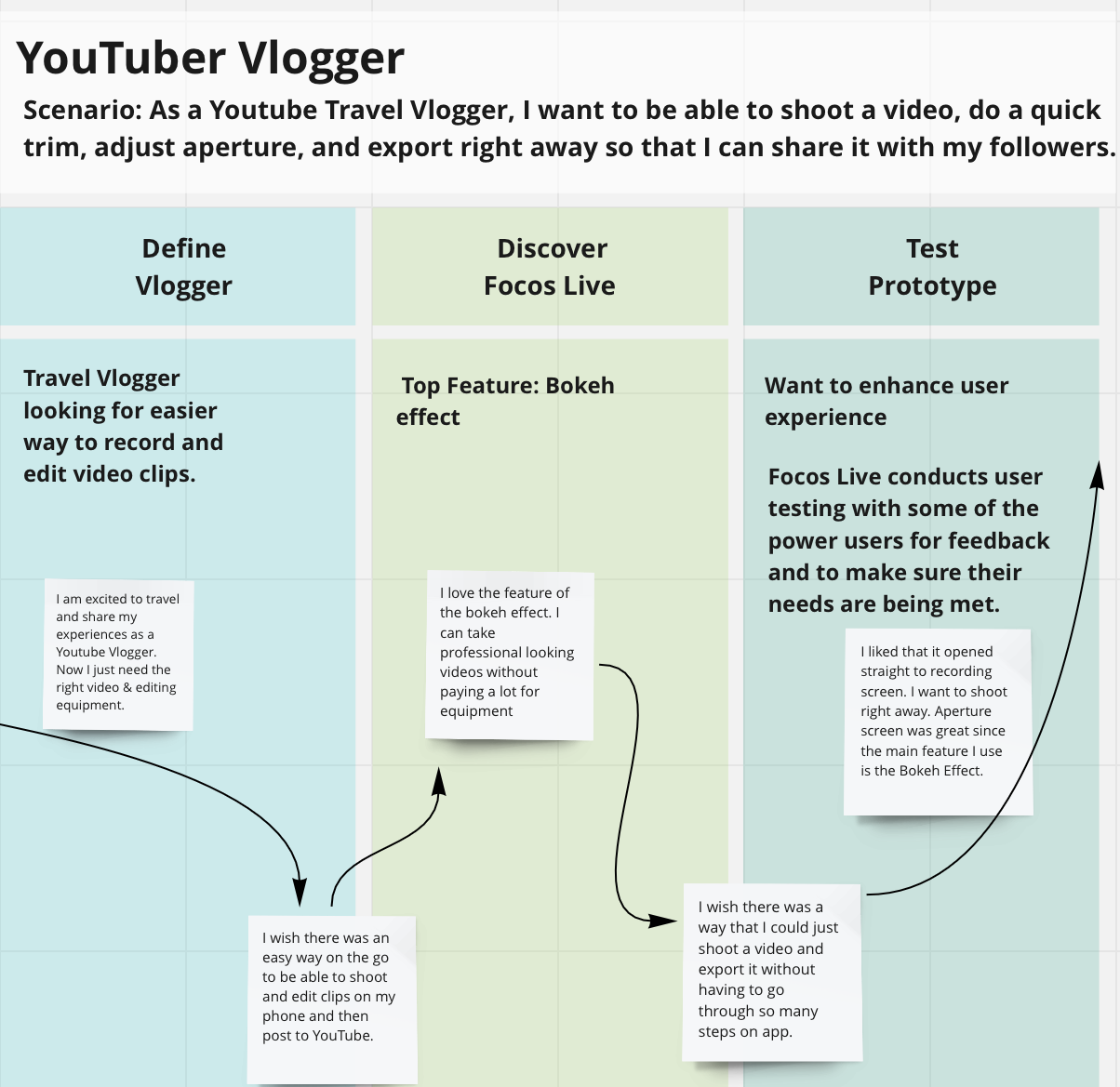
Journey Map Brainstorm
Sketches
From the data and findings from the interviews and Furry data, I was inspired and came up with some ideas.
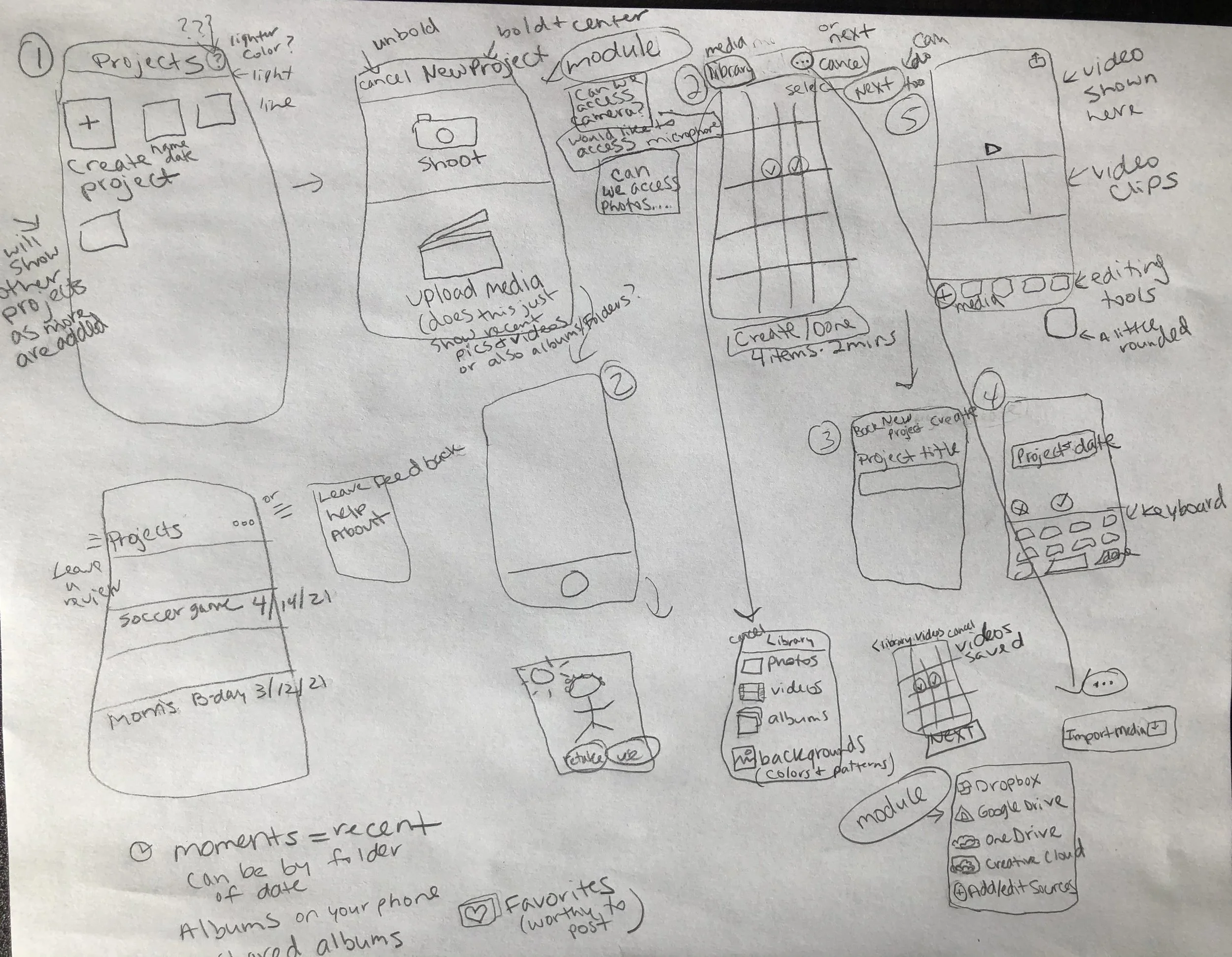
I sketched out possible ways to make the application better and more user friendly.
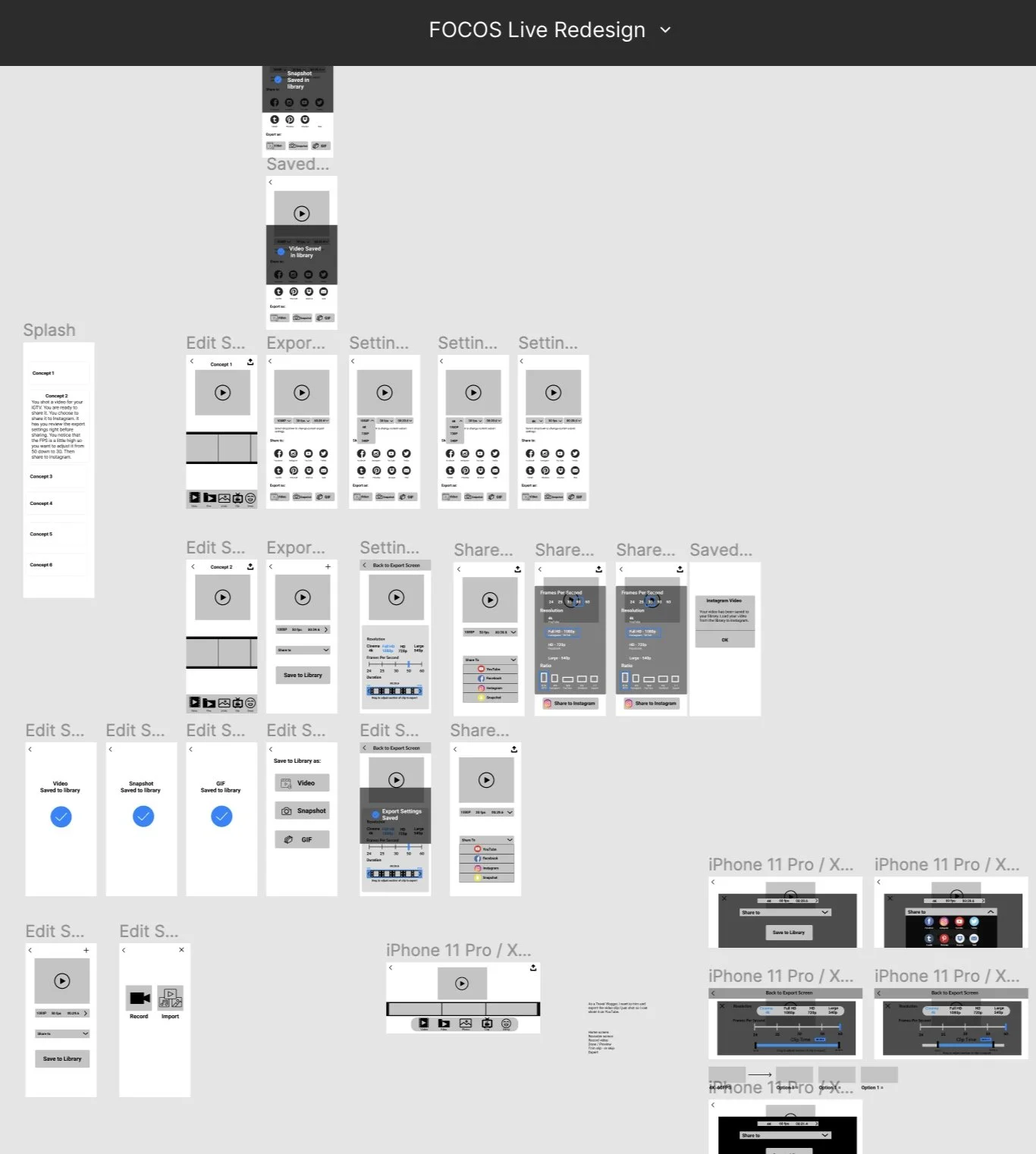
Wireframes
Based off the sketches, I started having the ideas come to life through creating Lo-Fi wireframes. I expanded on the ones that would suit the user’s needs the most.
Hi-Fi Prototype
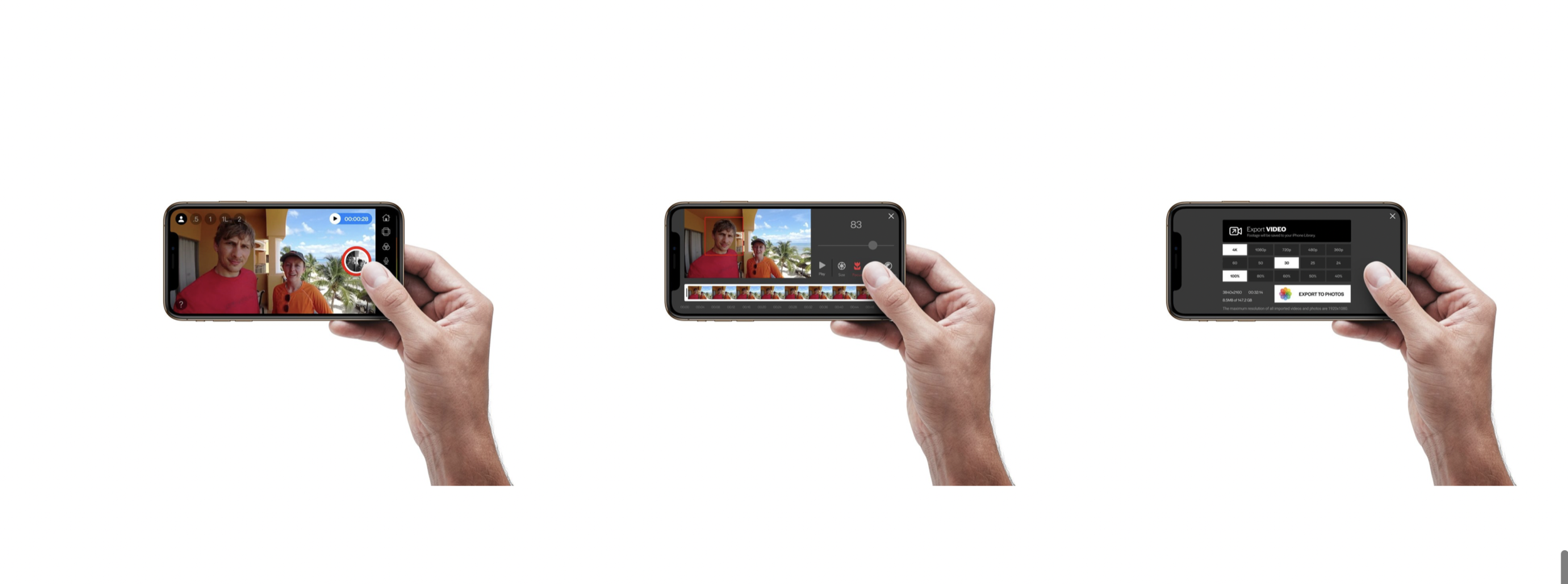
With the help of UI designer James Tucker, who created the visual elements by transforming the Lo-Fi wireframes to a Hi-Fi Prototype, made it possible to get a prototype in the hands of users for testing. https://www.tucker.love/
I was able to present the final Hi-Fi prototype to the users I previously interviewed for their feedback to get validation that the improvements enhance the usability, usefulness, and intuitiveness of the application.