

Optimizing the food ordering experience — a UX case study
-
My Role:
User Research & Analysis
Persona Creation
Empathy Map
Flow Chart
Wireframes
Prototyping
Usability Testing -
Timeline:
2 months (May 2022 - June 2022)
-
Tools:
Figma
Balsamiq
UXPressia
Miro
Maze
Notion
Trello
Introduction
As a user who orders food delivery extensively from various mobile Apps, I encountered frustrations when using UberEats. So I challenged myself to optimize the ordering experience.

Scope & Focus
Curiosity revealed an opportunity to perfect the UberEats experience for everyone, everywhere by understanding the user's pain points and coming up with game-changing solutions to give the user the best possible experience.
Goals
Through user research identify the problems that are hindering users from having UberEats as their go to delivery application.
Ideate solutions to improve usability and intuitiveness of the application.
Conduct user testing to validate hypothesis.
The Process
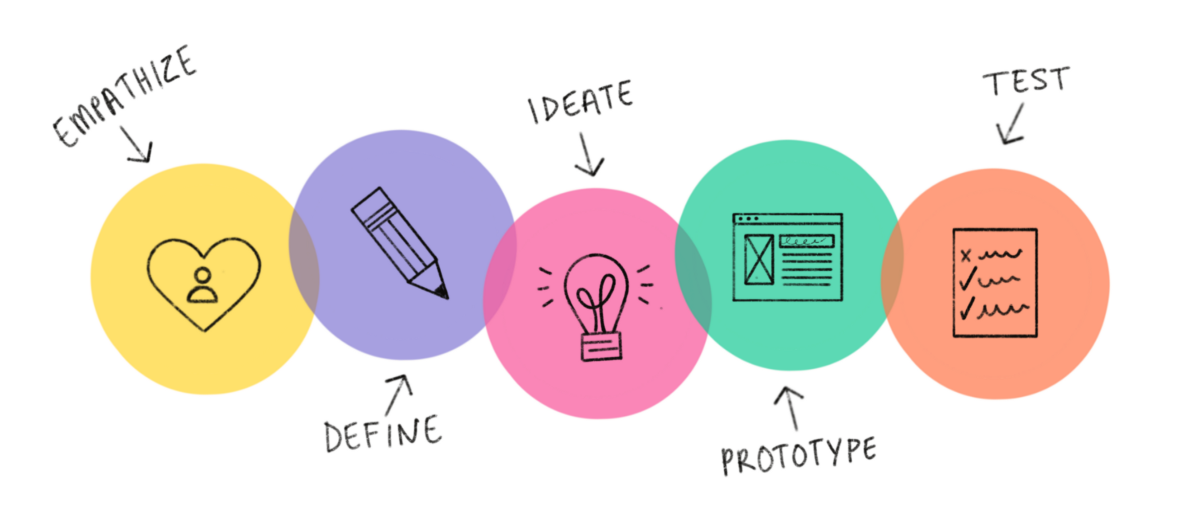
Empathize & Research - As I step into the shoes of the user, I am able to feel their frustrations and understand their needs. I start off by doing a competitive analysis and conducting user interviews.
Identify the problems and then come up with a hypothesis that will be tested for validation. Define goals.
Ideate solutions to improve usability, usefulness, & intuitiveness of the application based on quantitative data and qualitative user feedback.
Create wireframes and a clickable prototype - to test with users to see if improvements will create a better experience.
User Testing - Get feedback from users and validate that the updates are game-changing solutions.
Research.
Competitor Analysis
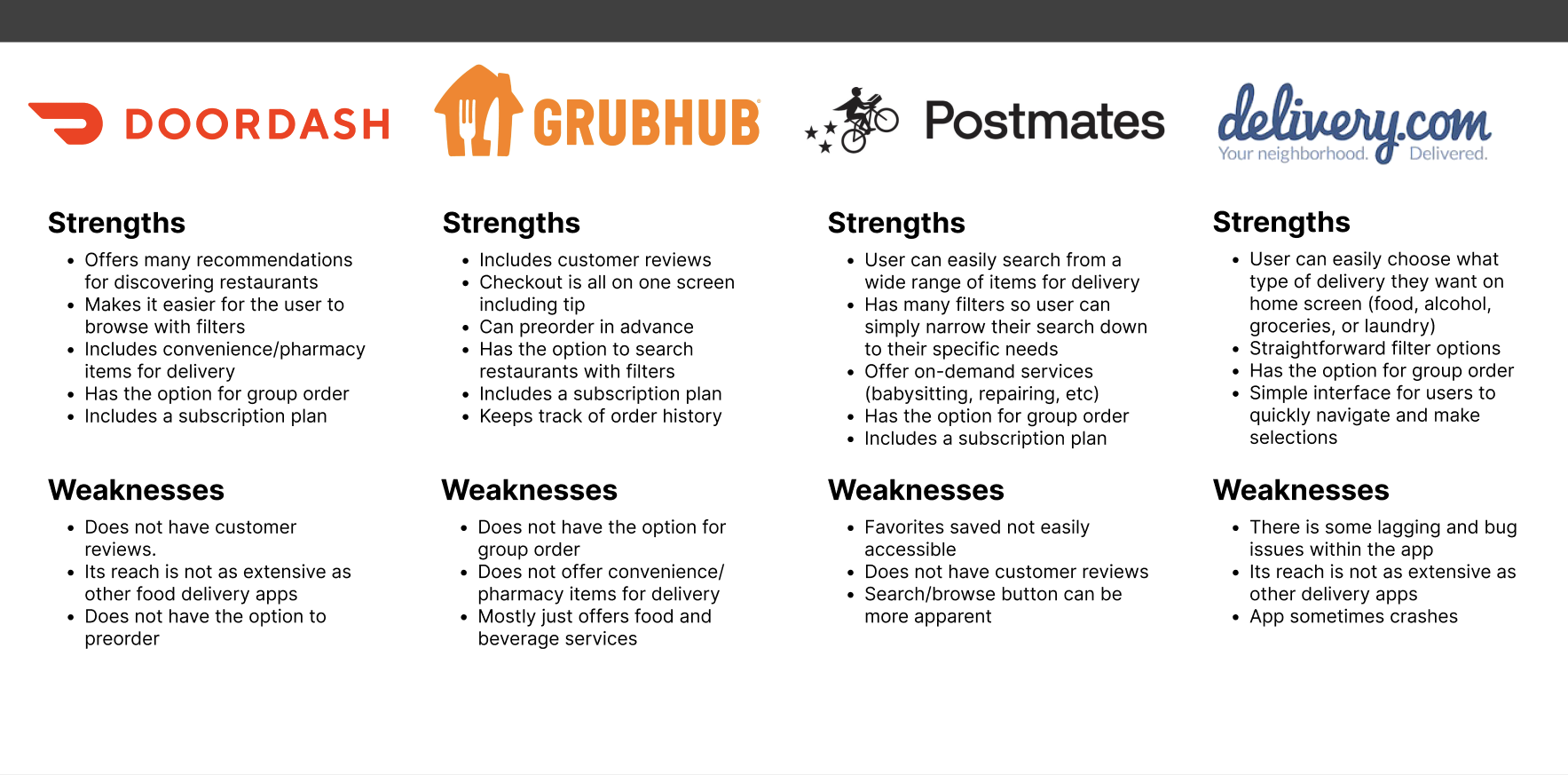
In order to better understand the food delivery service market, I researched some of the top competitors. As I conducted the research, I made sure to take notes on the strengths and weaknesses of each of the competitors so I made a table comparing the different food delivery services.

User Interviews.
I began by:
empathizing with the user to better understand their needs, desires, pain points, and motivations.
User Interviews.
I conducted interviews with UberEats users where I received insightful feedback and made new discoveries.
7 participants
Ages between 24-33
From a variety of professions including: accountants, admin assistant, digital marketer, student, and medical staff
User Quote.
“I have to use Google because there aren’t reviews on the app itself. So I start off in the UberEats app and then have to come back. Wish I was able to do everything in one place.” - UberEats user
I synthesized the data from the interviews and here are some of my findings.
-
Reviews.
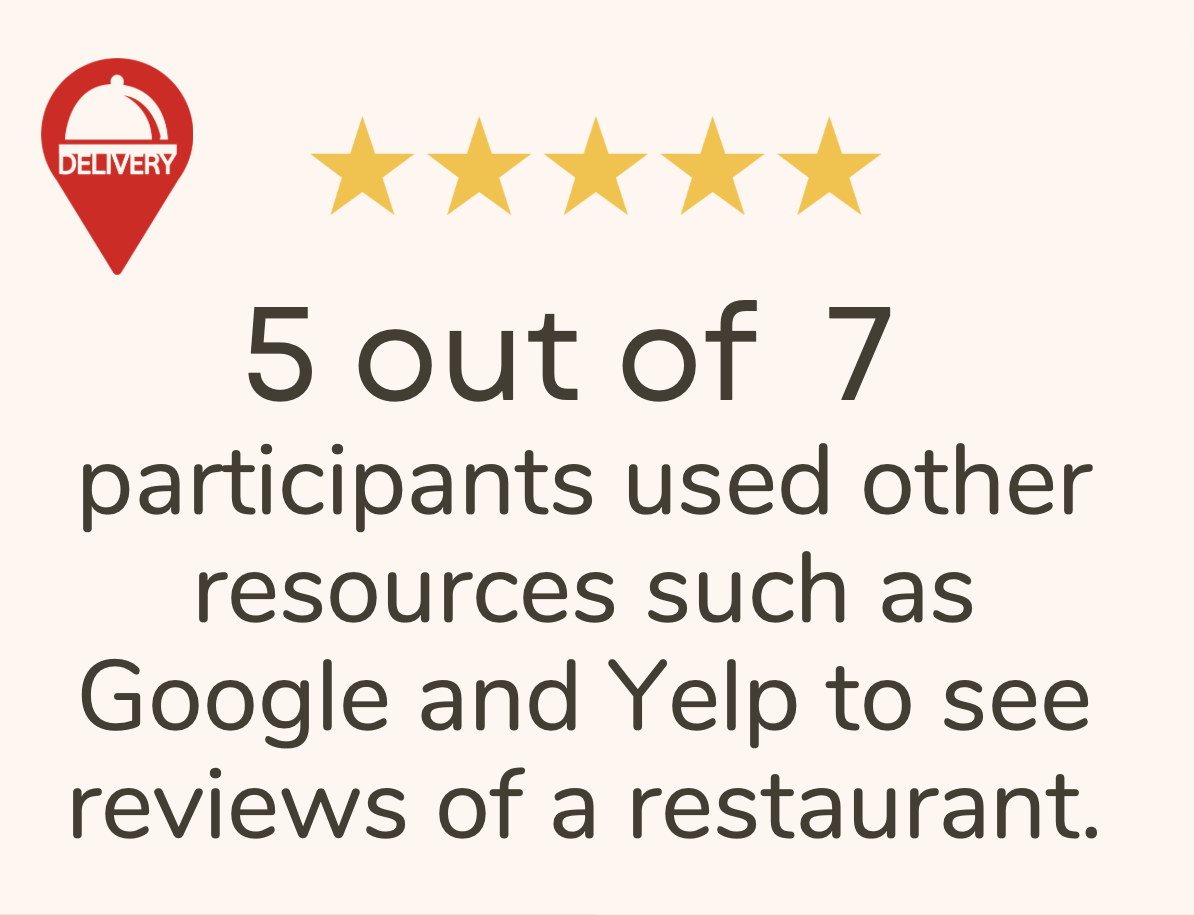
Over 70% of the participants I interviewed would like to be able to access reviews without having to leave the UberEats application. It would be nice if all their ordering needs could be taken care of all in one place.
-
Payment Method & Search Button.
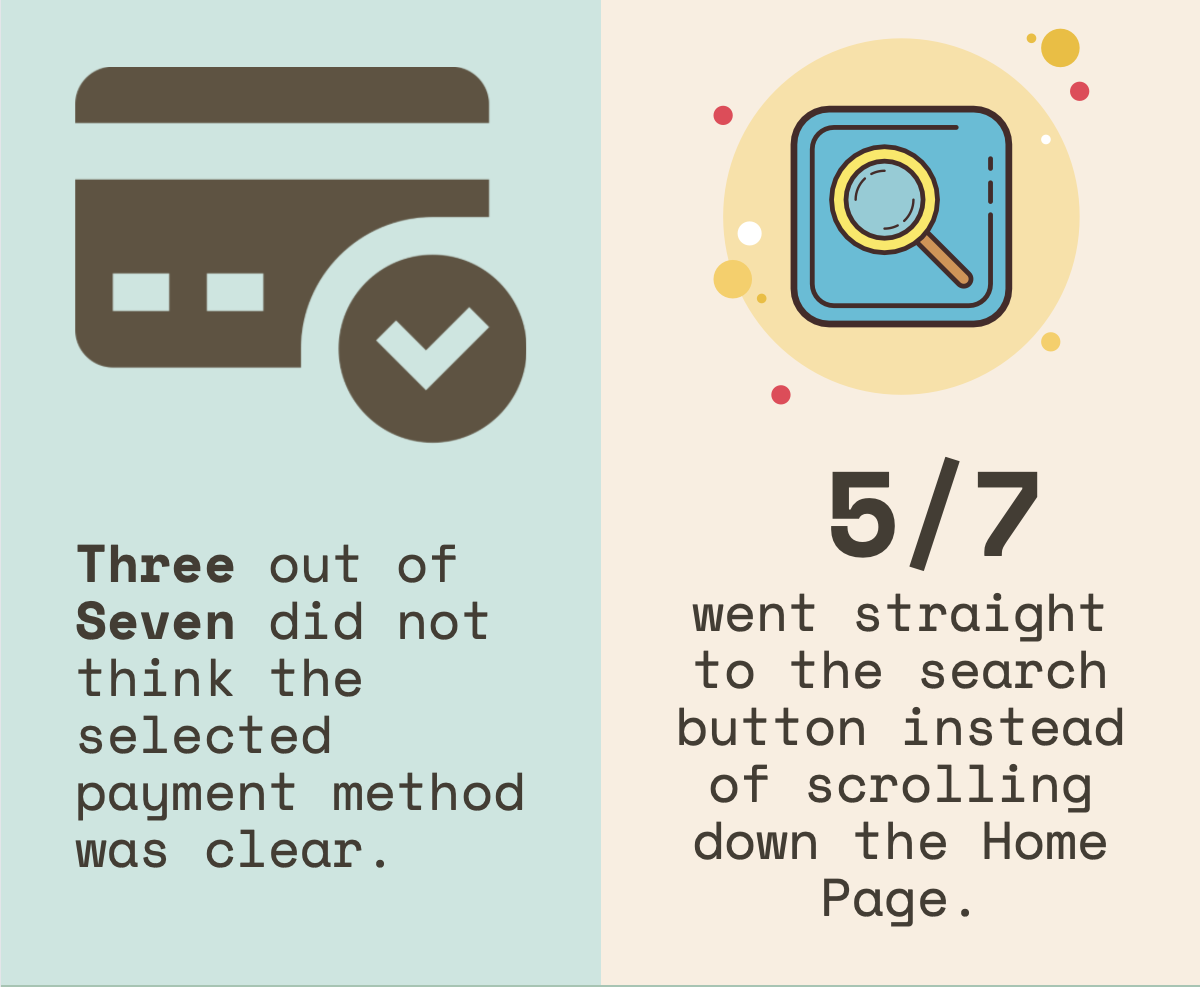
Over 40% of users thought the payment method that was selected could be more clear. They don’t want to overlook this and make a mistake. It should be clear and bold so the user can easily identify which payment is selected.
Over 70% of users went straight to the search button on the Home Screen instead of scrolling down the Home Screen for ideas.
-
New Selection & Favorites.
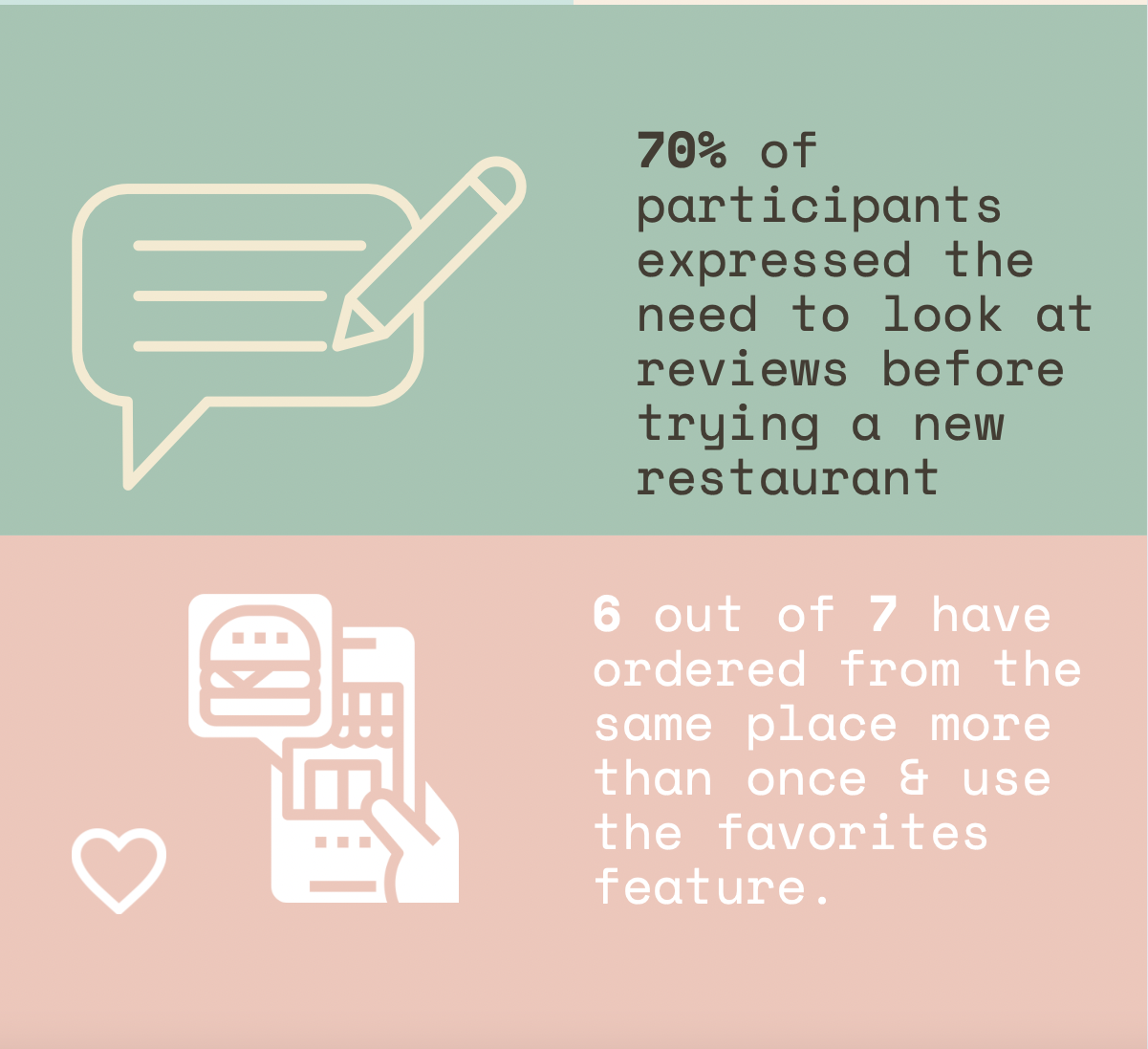
Over 70% of the participants I interviewed prefer looking at reviews of a restaurant that is new to them before making the commitment to go through with the order.
Over 85% of the participants have ordered from the same place more than once and like using the “Favorites” feature. Making their “Favorites” easier to access can lead to a more delightful experience.
User Personas.
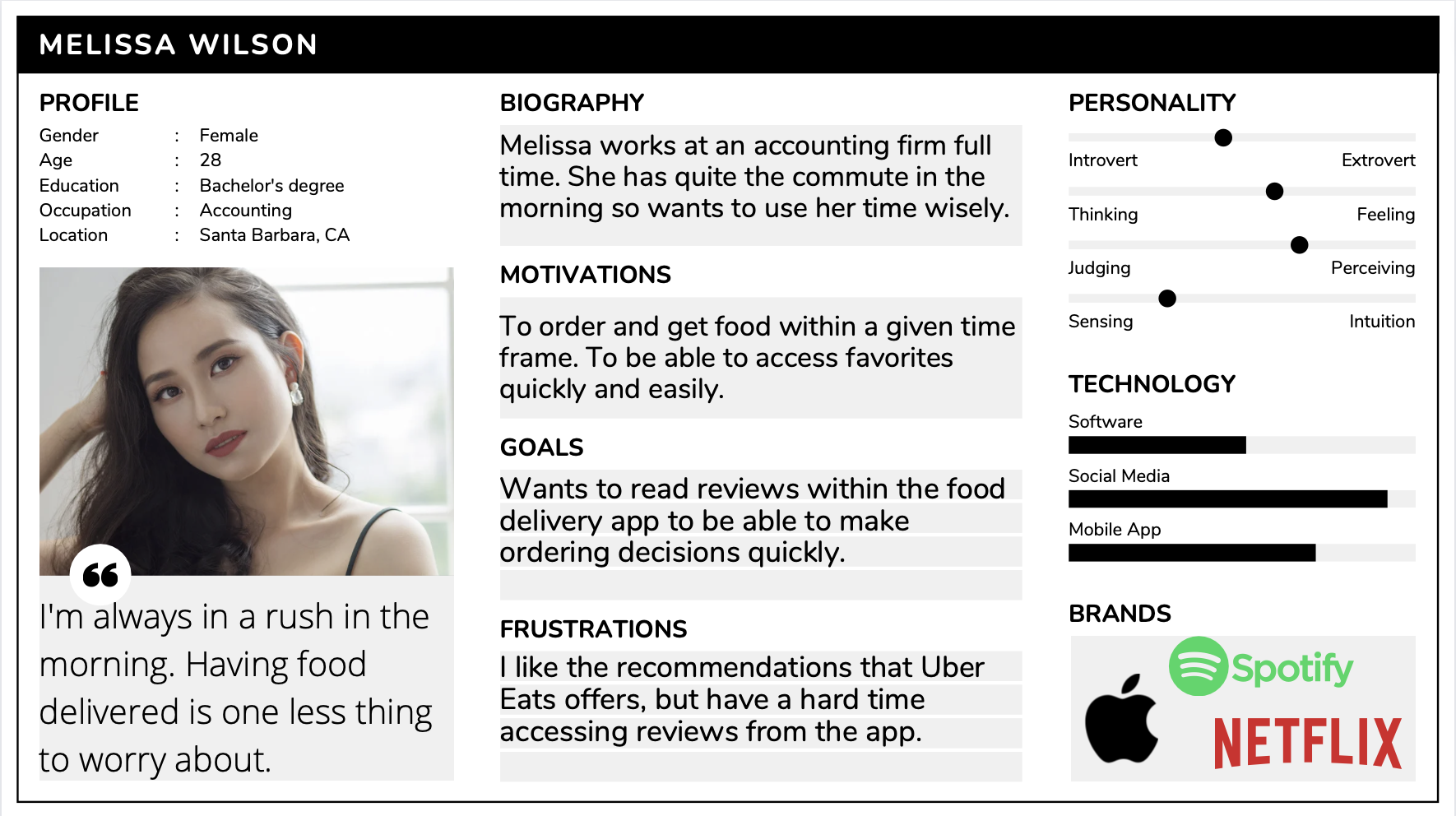
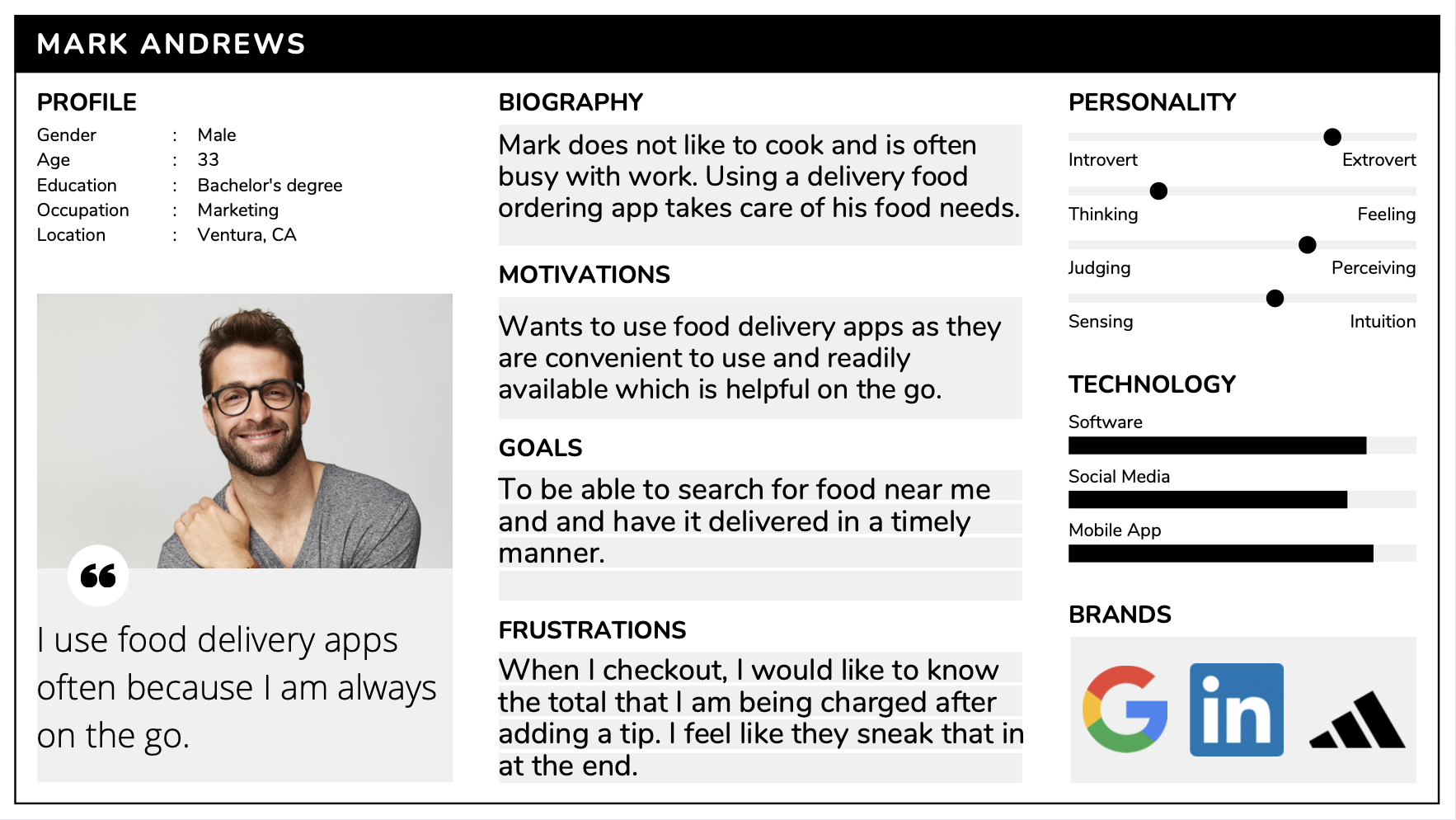
With the research conducted thus far and the insights provided by the participants, I created user personas that reflect the different needs and pain points that were brought up in the interviews.
Empathy Map.
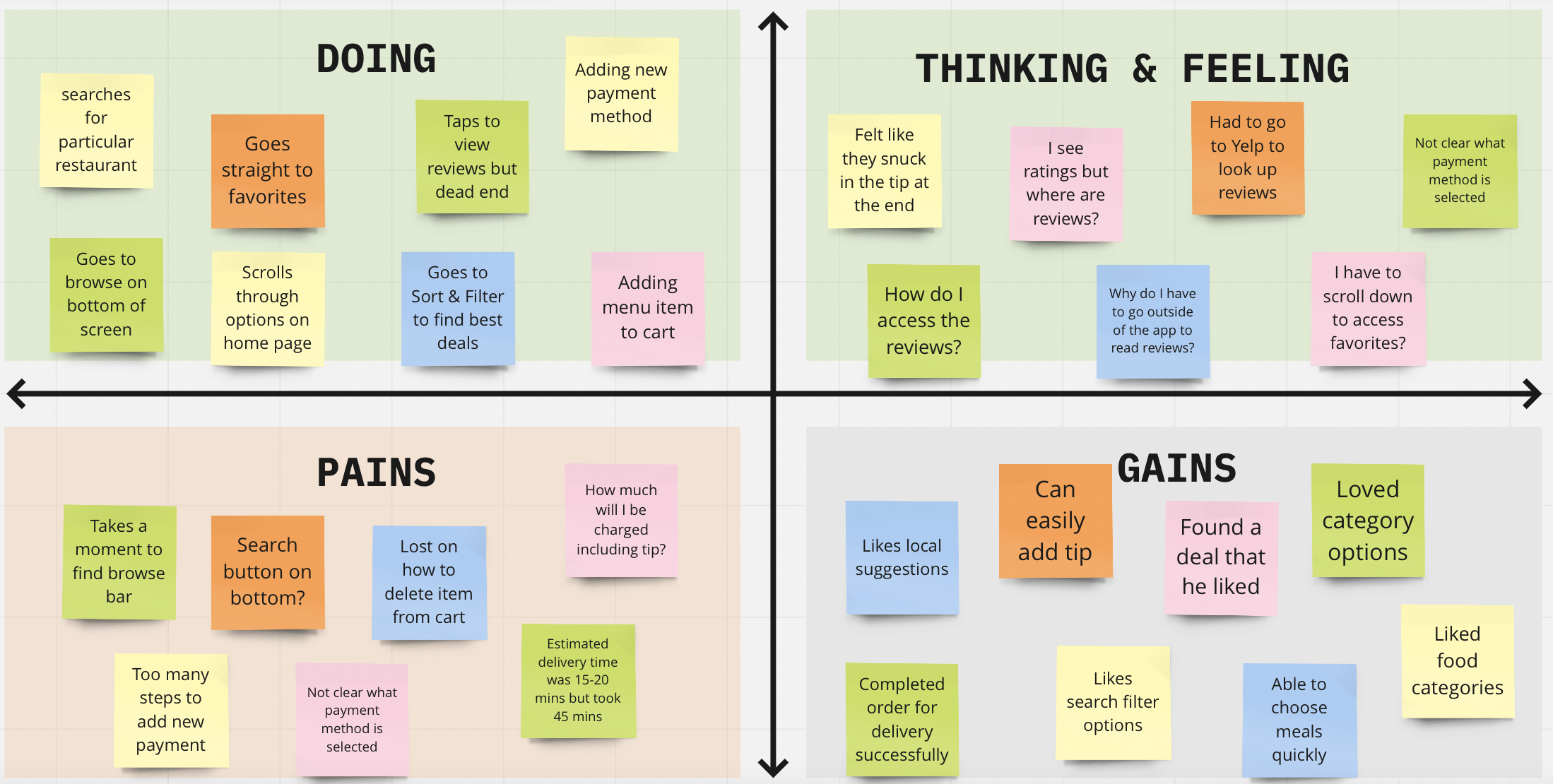
In order to bring the user persona to life, I imagined what some of user's thoughts, attitudes, and actions might be as a frequent user of food delivery service apps.
User Flow Chart.
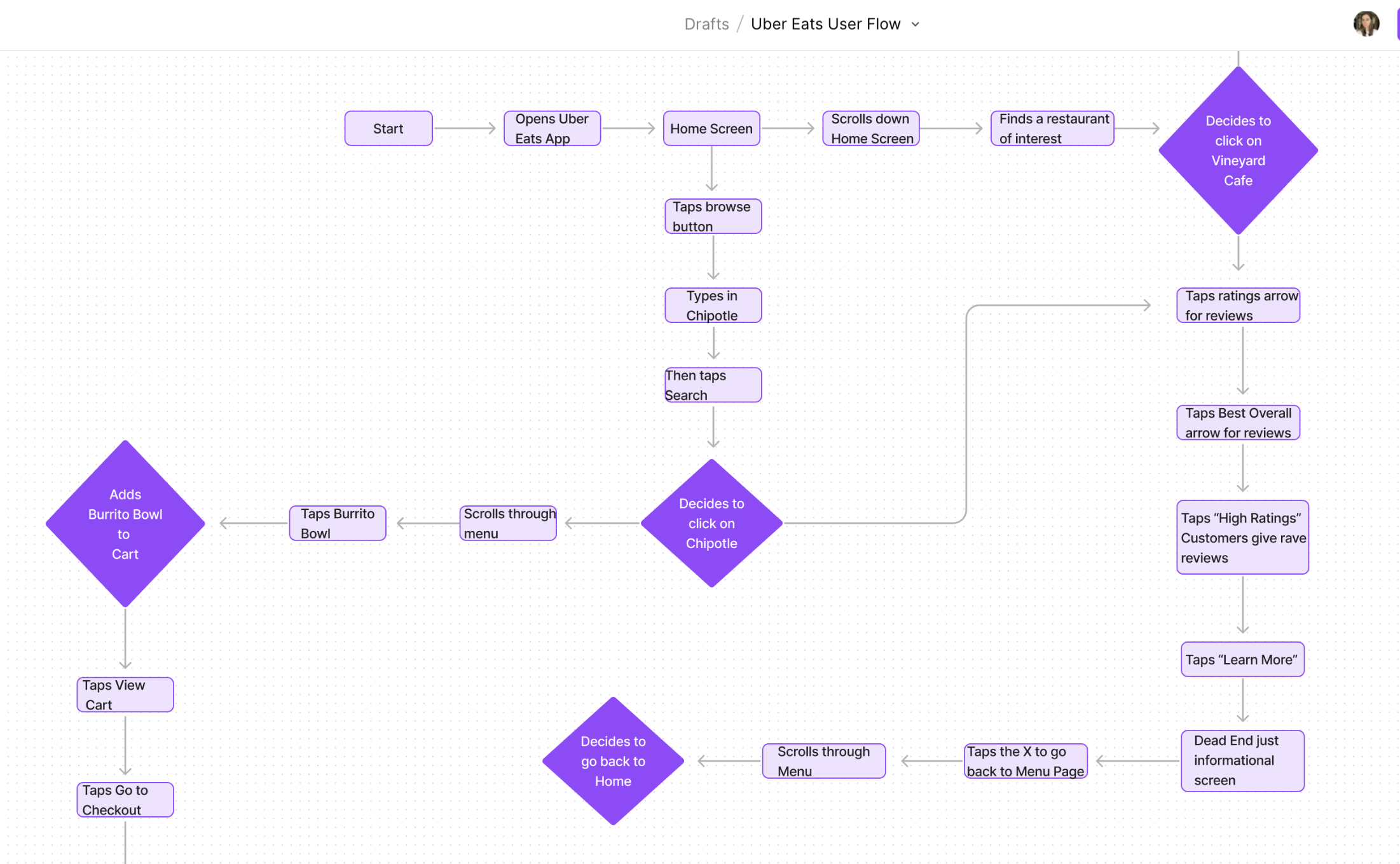
I kept the user needs, desires, and pain points in mind, as I came up with a user flow to visualize the different paths that the user persona could take to place an order through the Uber Eats app.
Problem.
By articulating the various thoughts, feelings, and actions of the user persona, I was able to come up with a clear problem statement.
Problem Statement:
How can we make UberEats more transparent, trouble-free, and reliable so that customers can make better-informed decisions through the food delivery application?
Hypothesis.
If UberEats kept users on the application, then it would decrease user frustration and reduce the chance of them ordering on another platform.

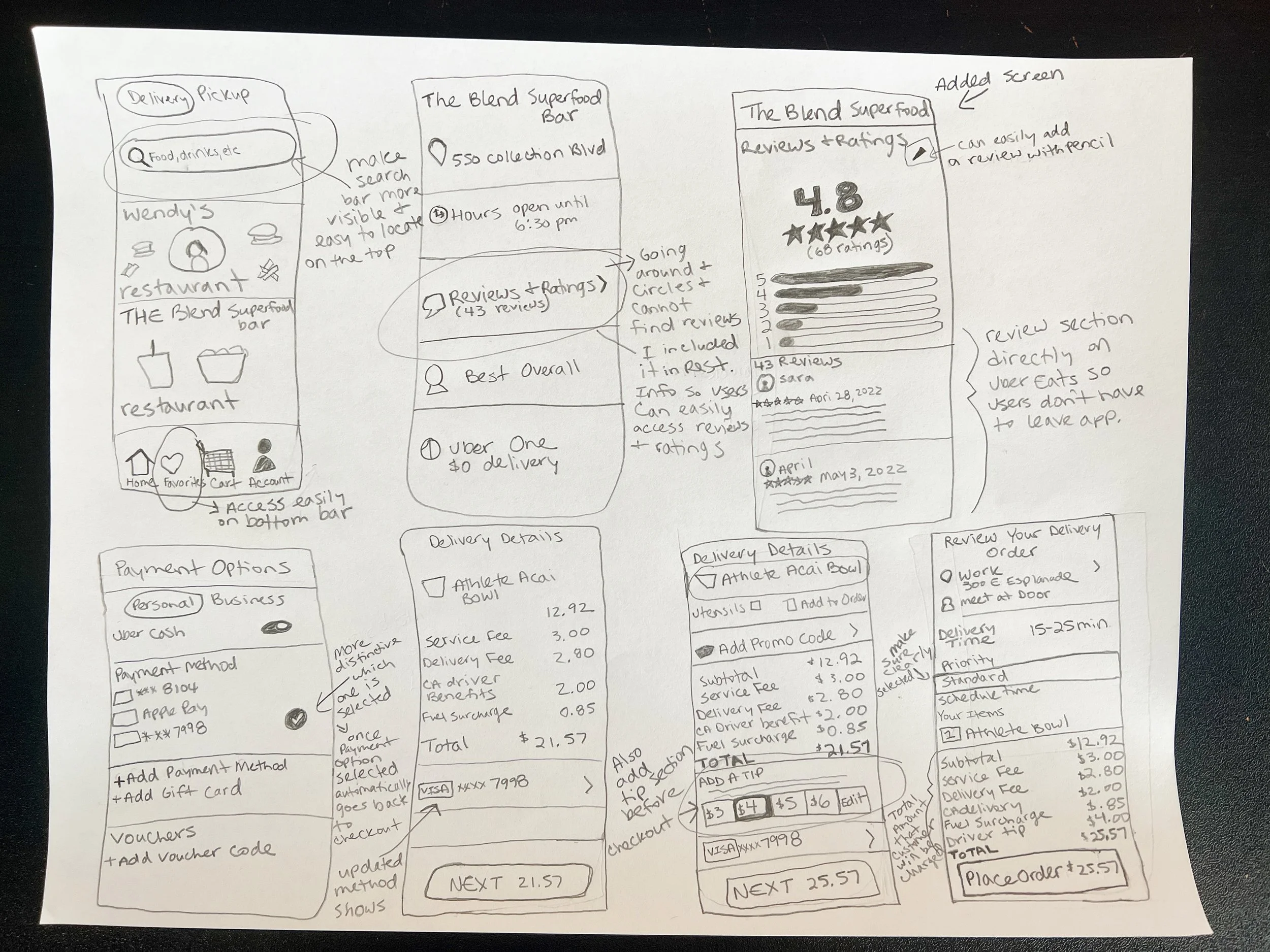
After coming up with a hypothesis, I was ready to get hands-on and come up with various sketches for what the new improvements were going to look like.
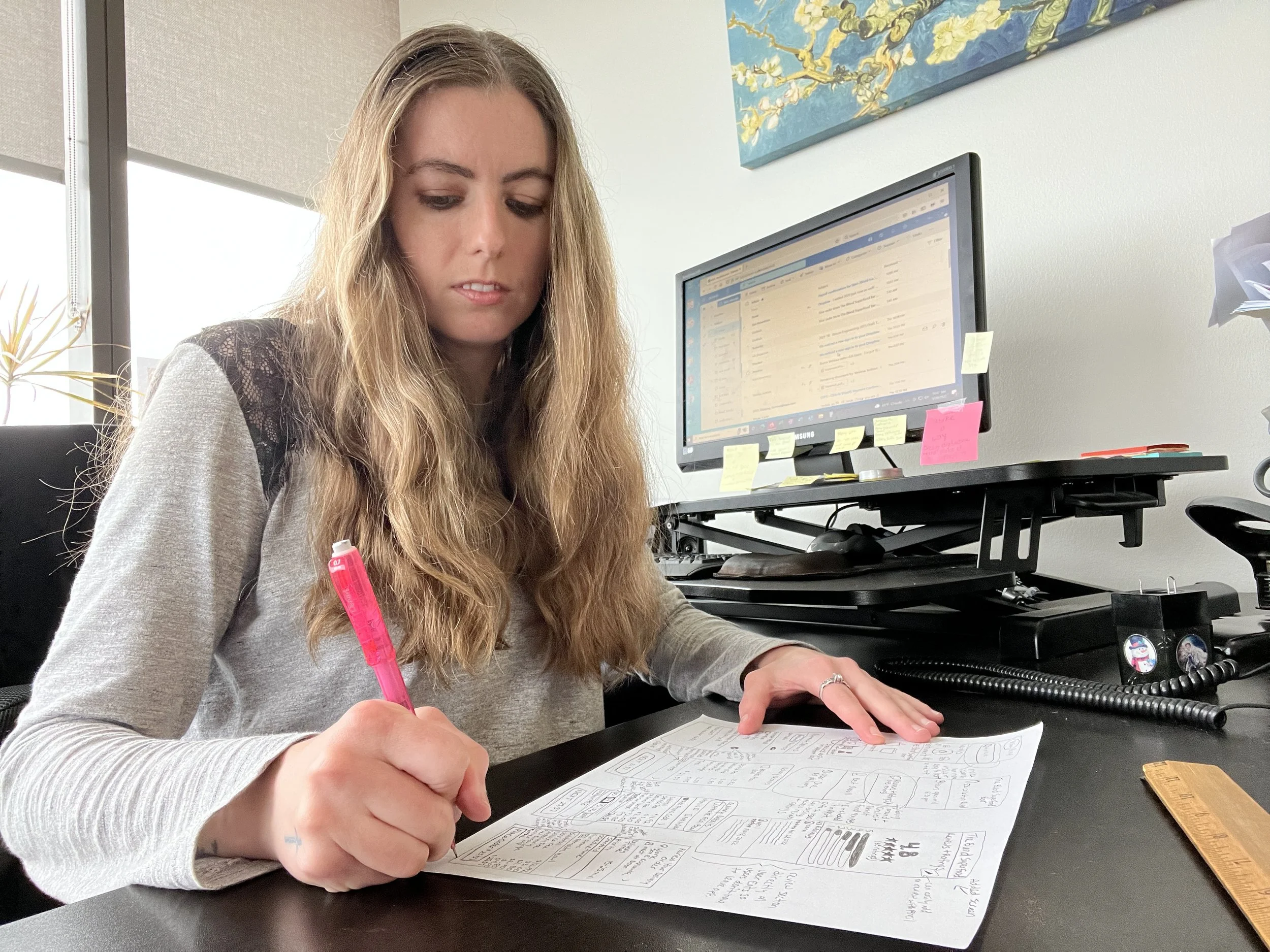
Sketches.
It all begins with an idea. Maybe you want to launch a business. Maybe you want to turn a hobby into something more. Or maybe you have a creative project to share with the world. Whatever it is, the way you tell your story online can make all the difference.
Wireframing.
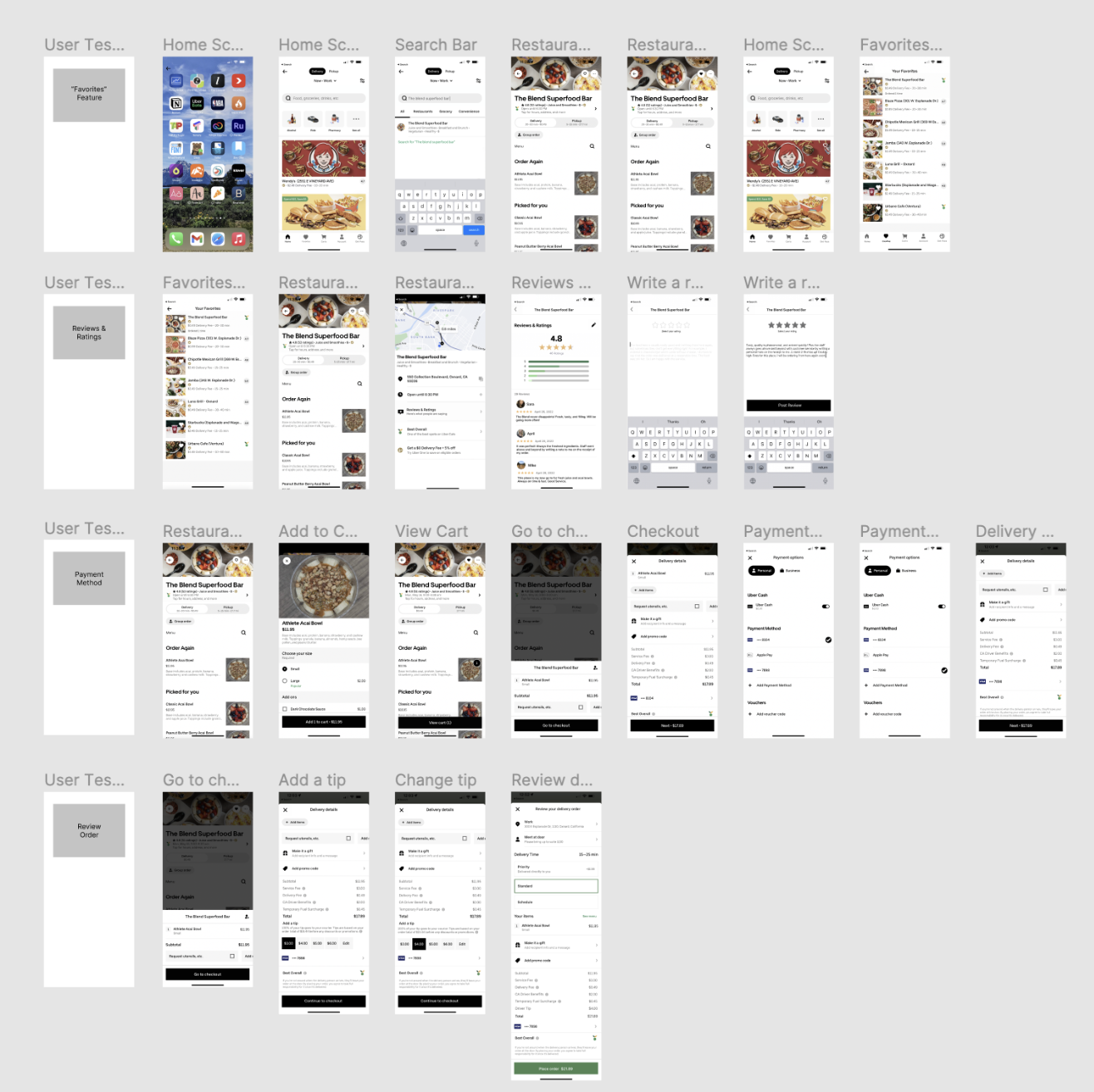
After brainstorming and creating sketches, I jumped into wireframing in Figma.
Prototypes.
For each user flow, I created a clickable prototype for users to test.
The screens that I designed include: the Home Screen, Favorites Screen, Payment Screen, Reviews & Ratings Screen, & Review Order Screen.
Search Bar & Favorites.
-
Problem.
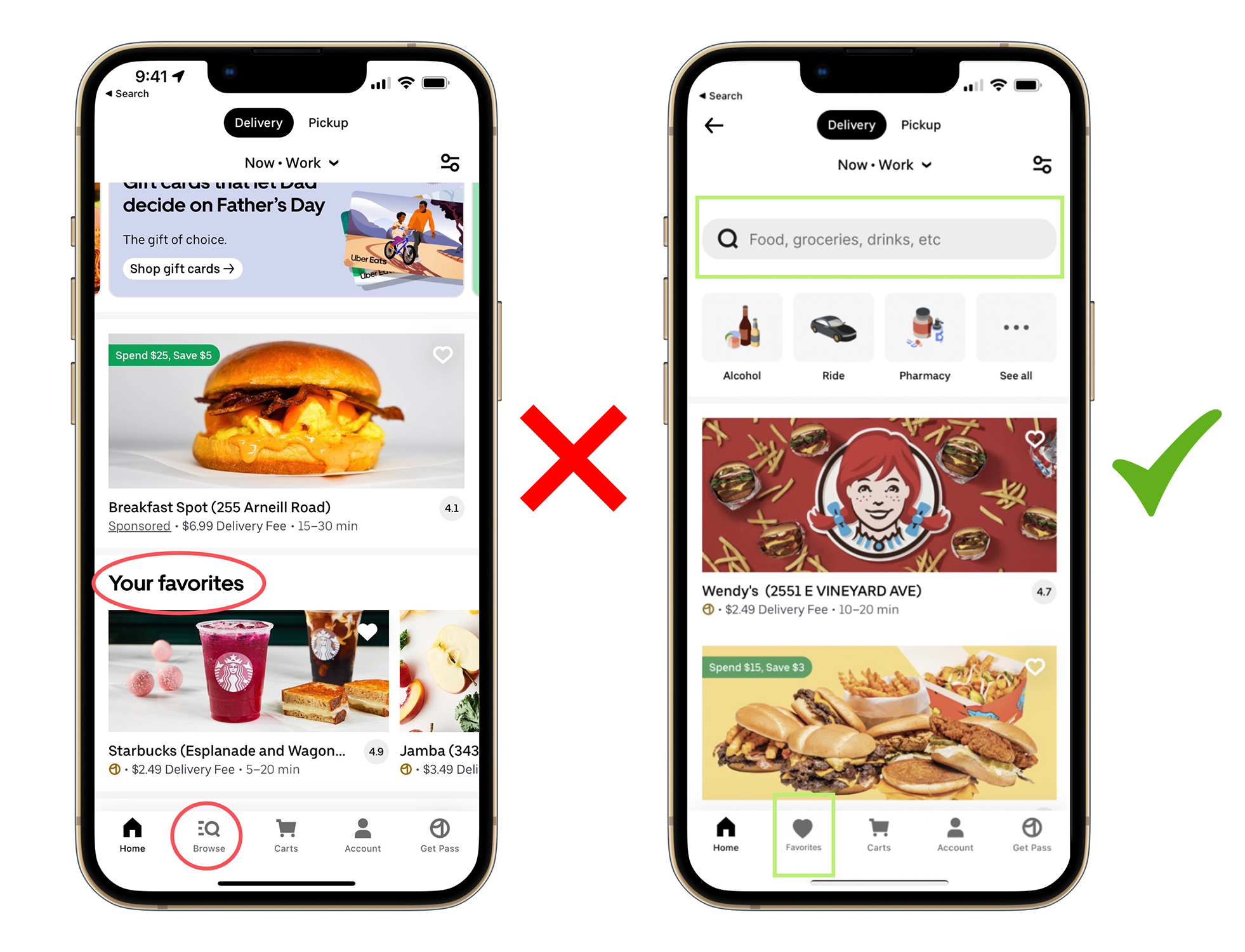
The Search button is difficult to locate. It would be easier and more useful if right when you open the app, for it to pop out more.
To access one’s “Favorites” a user must scroll down on the Home page to get to the Favorites section. Through the qualitative data that I collected from the interviews. Over 85% of the participants I interviewed use the Favorites feature.
-
Solution.
It would be easier for the user if the Search button was larger and more apparent with a search bar towards the top.
Instead of having to scroll to find the Favorites section, it would be more convenient to access if it was located on the bottom bar next to the Home button. This way the user doesn’t have to search and spend more time. It is right at their fingertips.
Reviews & Ratings.
-
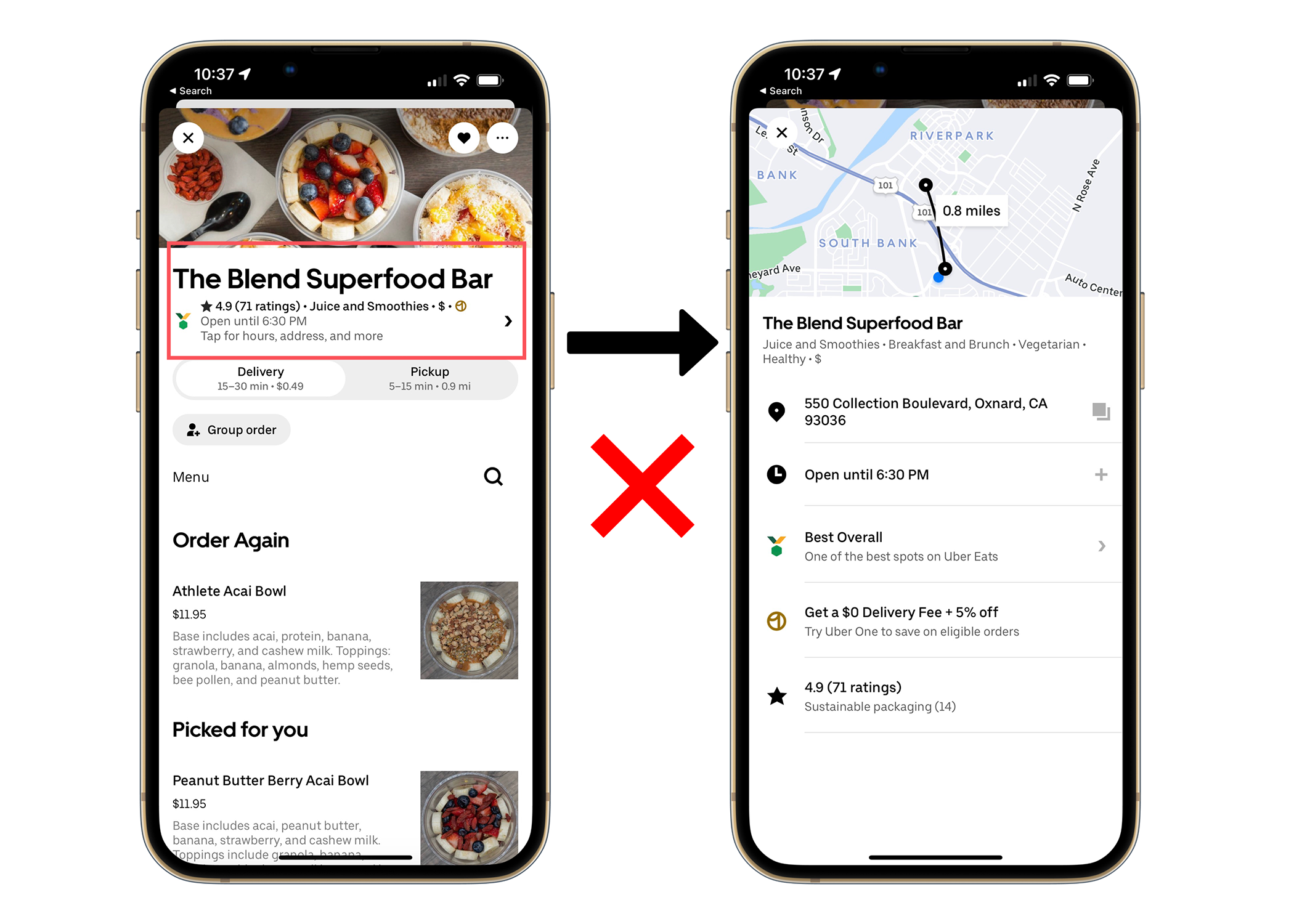
Problem.
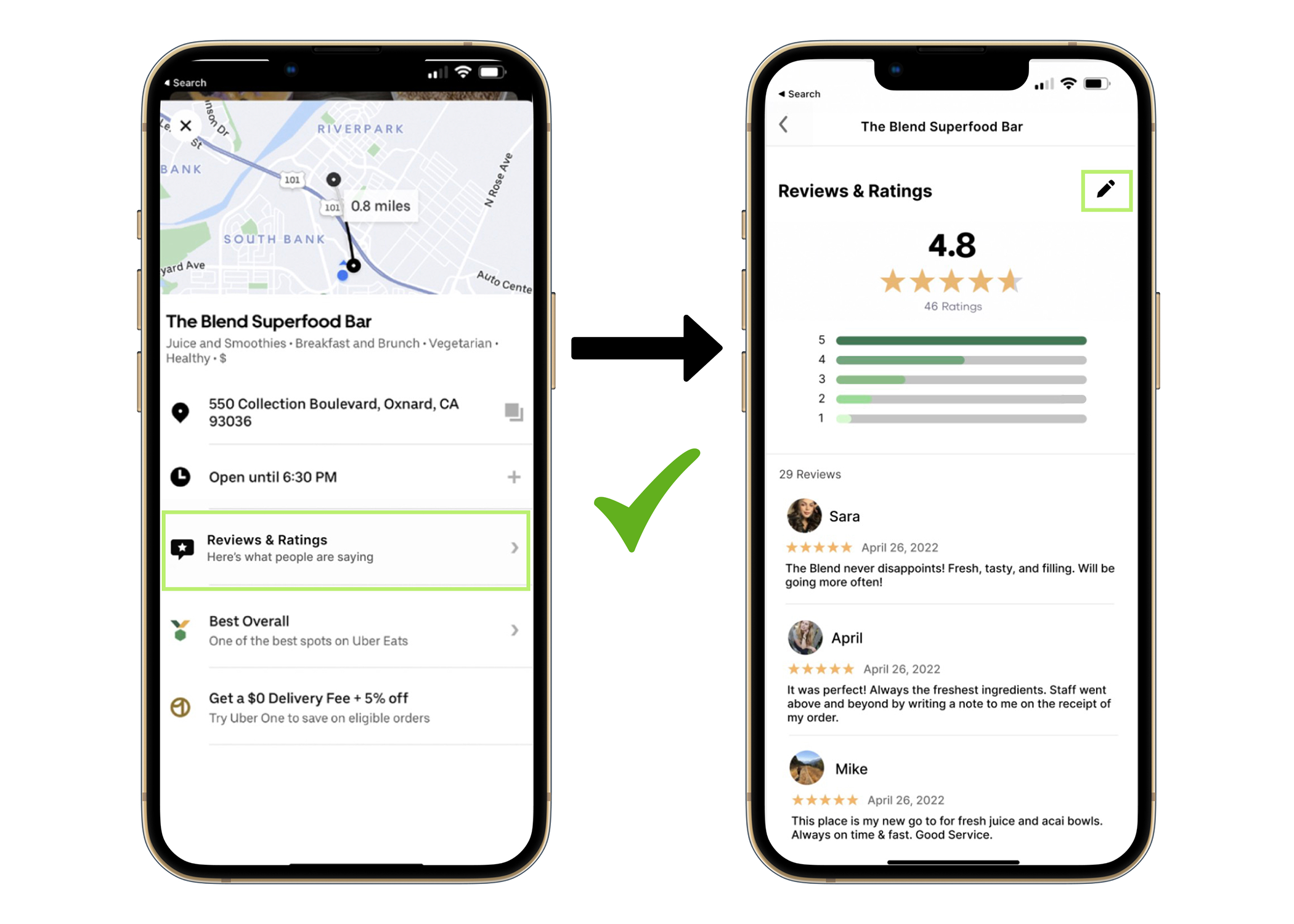
When a user is on a restaurant page and wants to see more information on reviews and ratings, it takes them to a dead end. Instead of the frustration of not getting anywhere, I created a reviews & ratings page that can be easily accessible when one clicks on the restaurant name for more information so that the user does not have to leave the application. We want the user to be engaged as long as possible on the UberEats application and ensure that they don’t leave to order off another platform for their food ordering and delivery needs.
-
Solution.
My solution was to create a Reviews & Ratings section that users can access straight from the restaurant screen. The Reviews & Ratings screen includes the ratings on the top out of 5 stars. Below the ratings are the reviews and comments that other customers made. Now the user can make a better informed decision based off other peoples’ experiences ordering from that particular restaurant. If a user would like to make their own contribution by giving a rating and review, they can click the pencil at the top right. Now users will have a much better experience.
Payment Method.
-
Problem.
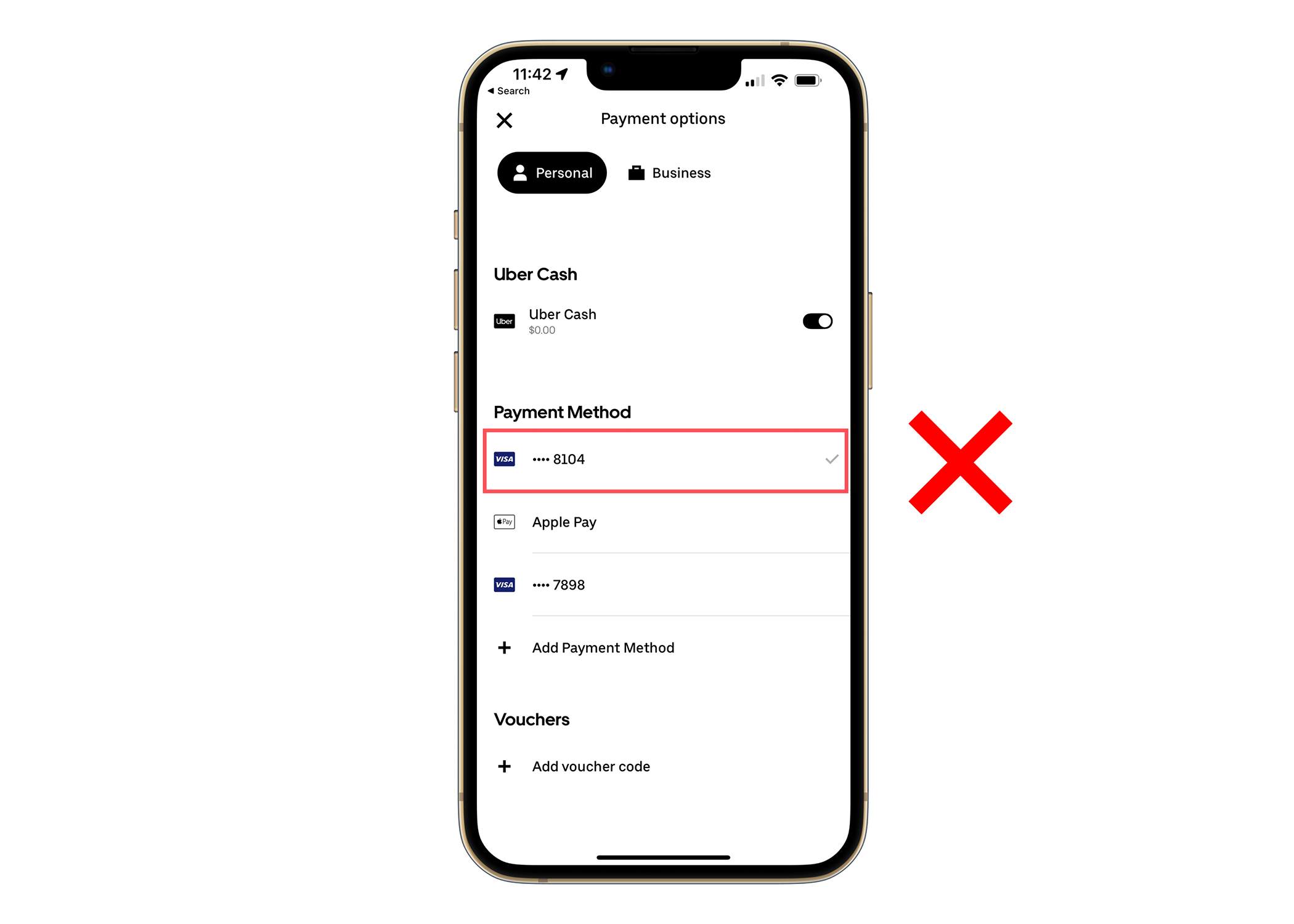
The payment method selected is not clear and there are too many steps to change the payment which can be frustrating for the user who quickly wants to get through the checkout process. The easier the process flows the more of a delightful experience the user will have on the application.
The payment method that is selected has a check mark next to it that is nearly transparent. It should be clear to the user what payment method is selected for the purchase. This will establish more trust with the app.
-
Solution.
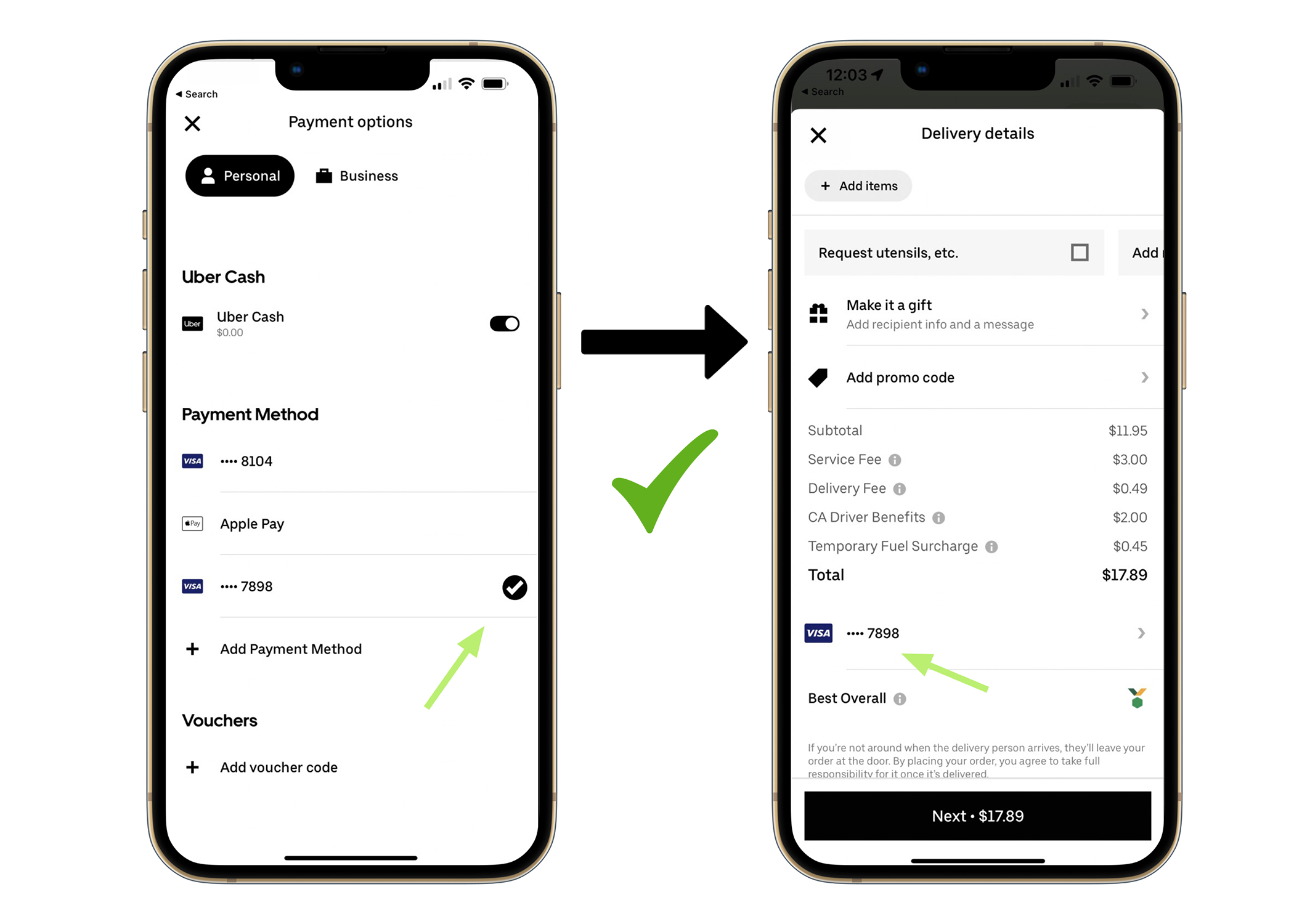
My solution is to make it simple and as intuitive for the user as possible. My idea is to choose the preferred payment method and once the payment method is selected it is clear which one is selected with a bold check mark that cannot be missed or overseen.
Instead of having to x out of the payment options screen and to go back to check out, it would be more convenient if after the payment method was selected to automatically go back to the checkout screen after a delay.
Review Order.
-
Problem.
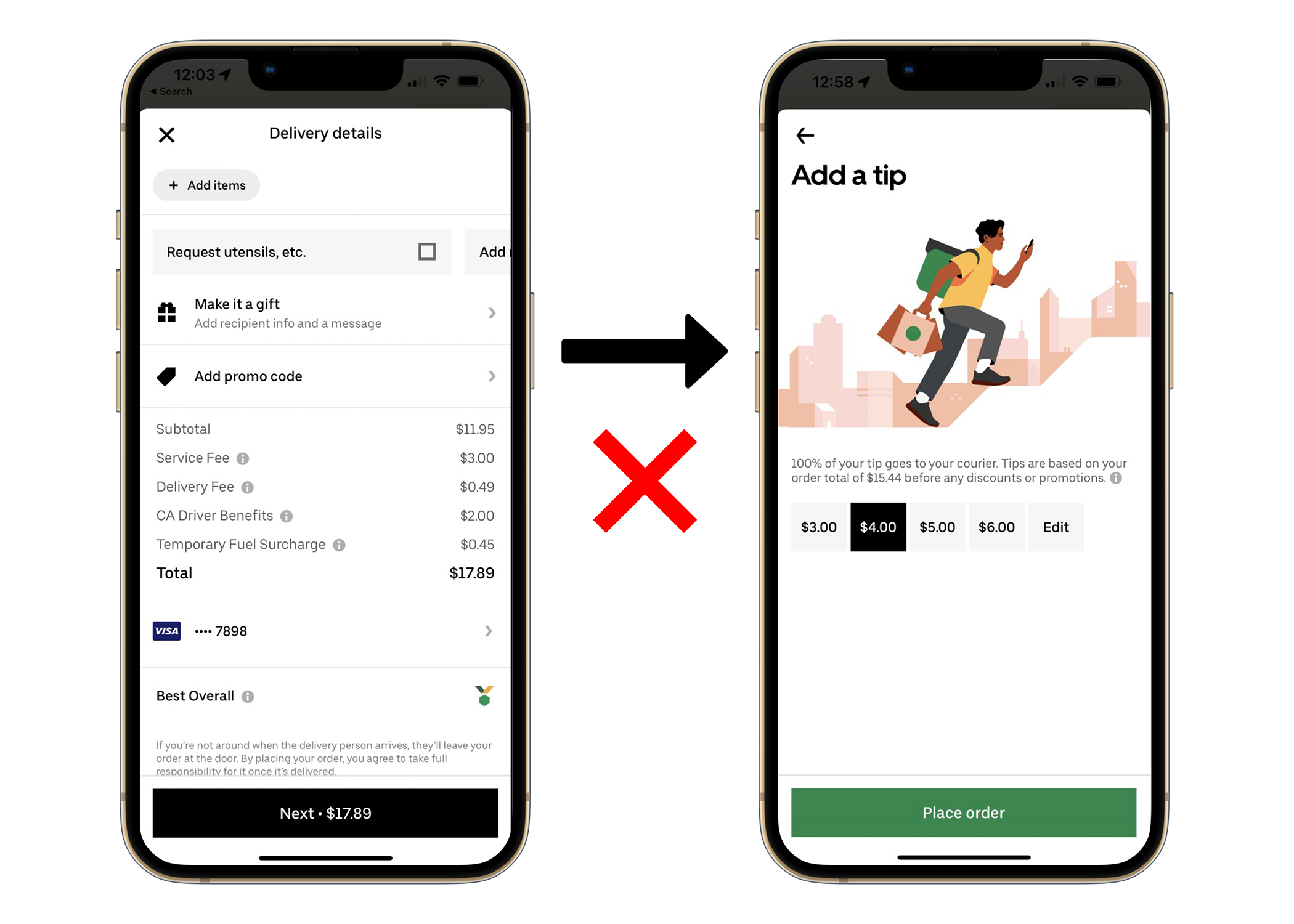
For the checkout screen, I liked the breakout of all the fees and surcharges that are going to be included in the total that will be charged at checkout. However, the tip option is not included as though it was an after thought. The users need more transparency. It is hard to develop trust with the user if unexpected surprises come up. Being clear establishes trust.
-
Solution.
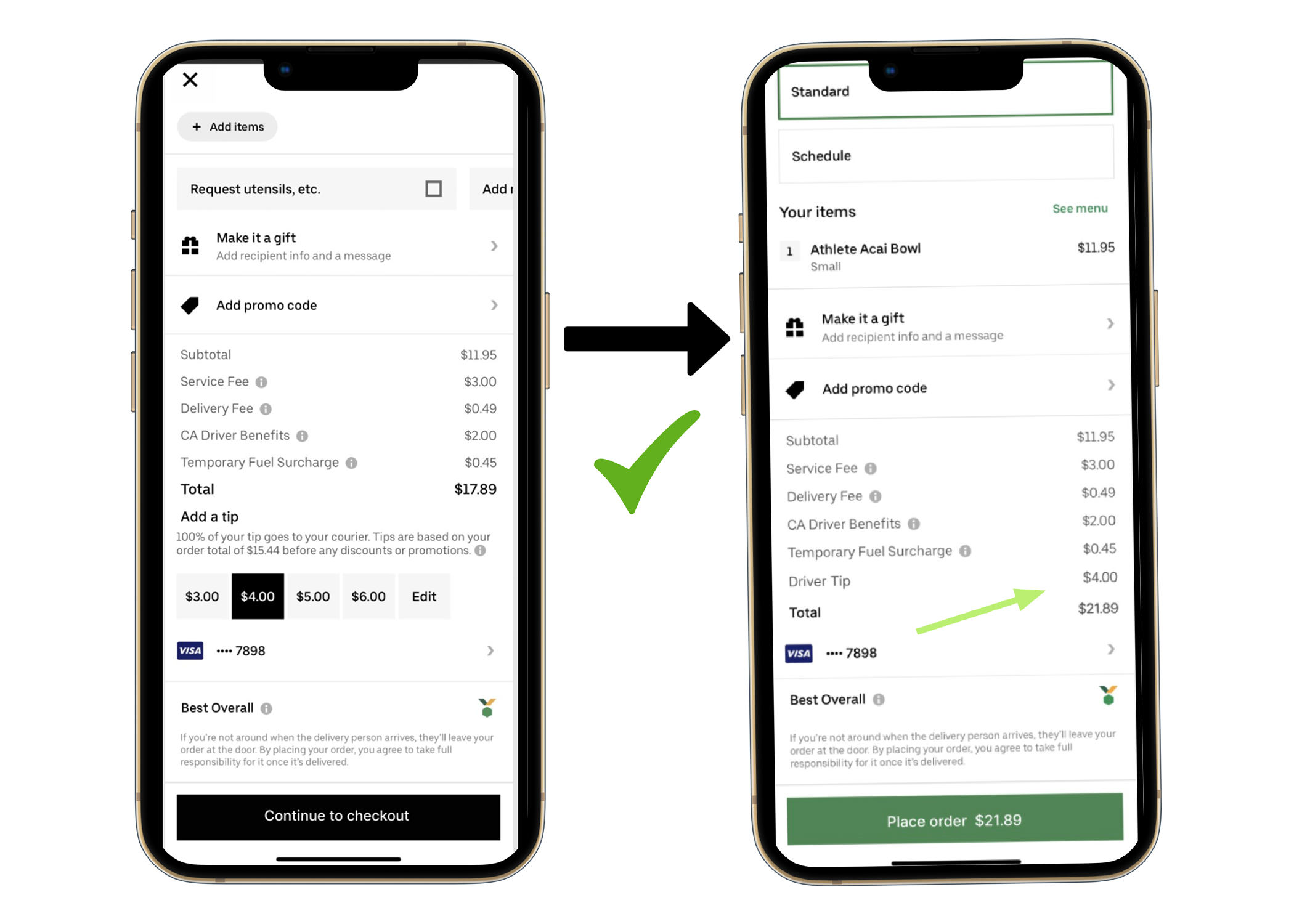
My thought was to include the “Add a tip” option on the checkout screen with the rest of the fees and charges. This way everything is on one screen and one place for the user to see. Then once order is completed, to include a “Review Order Screen” with the total that will be charged including the tip so the user clearly knows what to expect to be charged.
User Testing.
After creating a clickable prototype with the improvements and features I added, I went back to the participants I interviewed for their feedback.
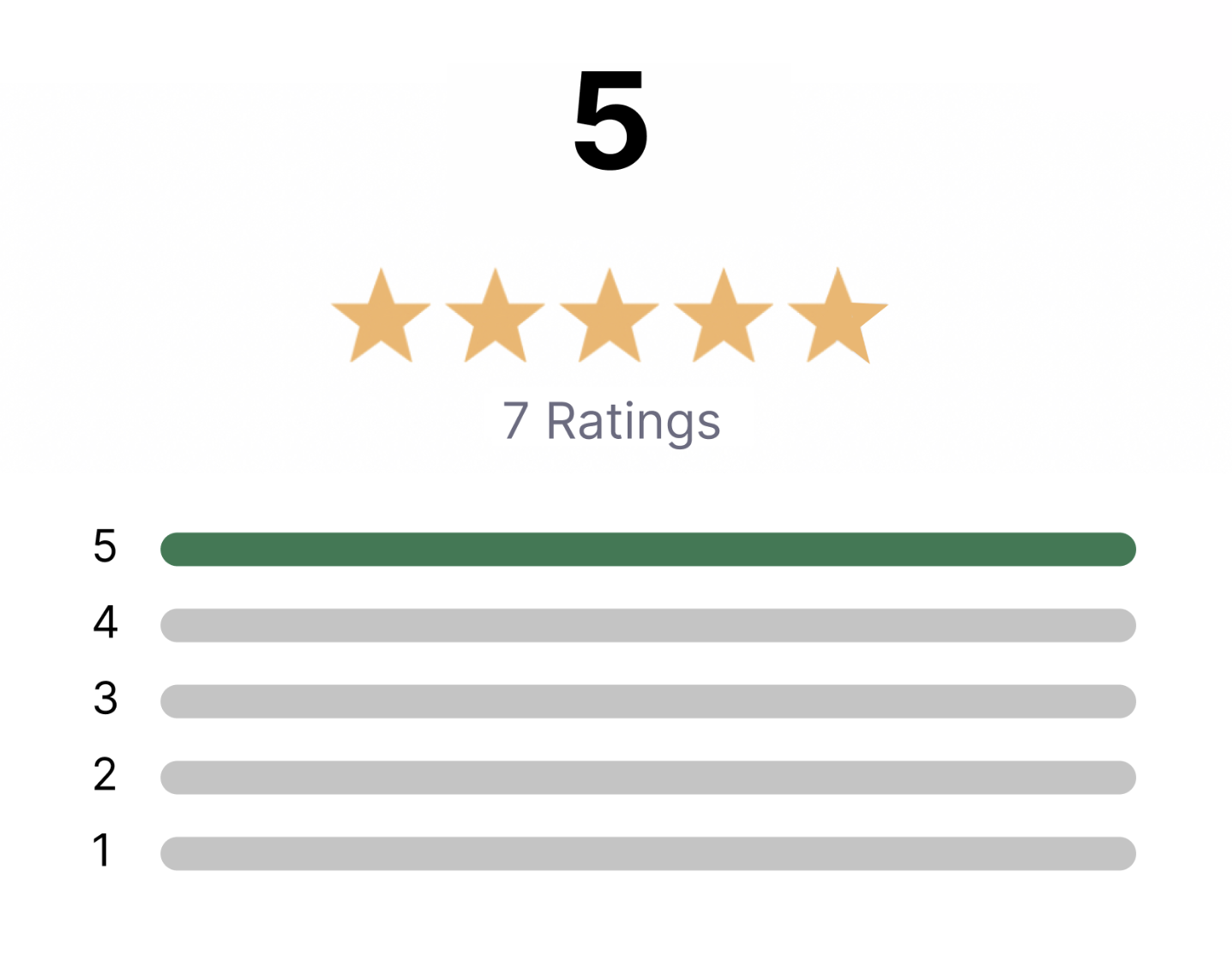
This is how the users rated the UberEats application after testing with improvements.
Takeaways
The User Testing validated that with the improvements Uber Eats application is more useful, usable, and intuitive.
Improving the experience will lead to more adoption, longer engagement, and ultimately can lead to being the #1 food delivery application.
What I learned.
How beneficial user research is and genuinely connecting with users through interviews resulted in such insightful feedback. New discoveries and aha moments were made.
How valuable user testing is and how important it is to test and validate your hypothesis.
I also learned that with just a few new improvements, users can get really excited and pumped-up to use the application more. They feel like their voice is being heard.